The Microsoft Ads HubSpot integration is now live. In its September product round-up, published on 30 September 2026, Microsoft Advertising said it “is now live in HubSpot”: advertisers can build audiences from their HubSpot contacts, start follow-up in HubSpot when a campaign captures a lead, and see which ads lead to deals. The same post made optimization experiments, Microsoft’s built-in A/B tests, generally available for Search, Shopping, Audience and Performance Max campaigns.
If you run ads on Bing and keep your leads in HubSpot, this changes how the two talk to each other. If you use a different CRM, the experiments part still applies to you.
What Microsoft announced on 30 September
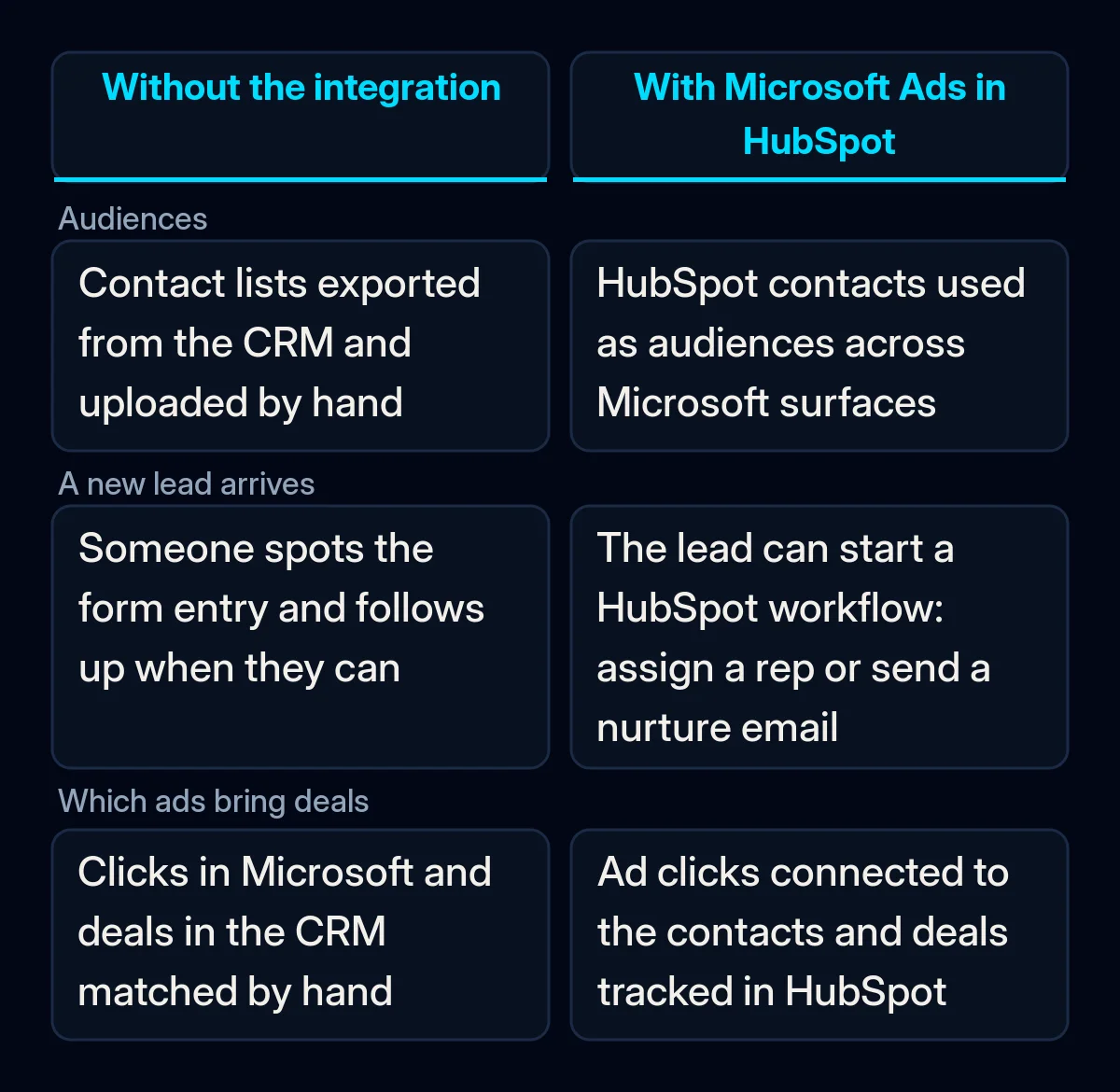
Microsoft’s announcement describes three things the integration does:
- Audiences from CRM data. You can reach your HubSpot contacts in Microsoft Advertising, along with what Microsoft calls “verified LinkedIn professionals across Bing, Copilot, Outlook, Xbox, and more”.
- Automatic lead follow-up. When a campaign captures a new lead, it “can automatically kick off a next best action you’ve set up in HubSpot, such as assigning a sales representative or sending a nurture email”.
- Revenue reporting. By connecting ad clicks to the contacts and deals tracked in HubSpot, Microsoft says advertisers “can see which ads drive pipeline and revenue” and compare channels side by side.
Microsoft framed the release around the holiday season. The same post also raised the limit for LinkedIn company lists from 1,000 to 10,000 company names per list and extended the period in which new API features ship in both SOAP and REST until 31 January 2027.
How the Microsoft Ads HubSpot integration is set up
HubSpot’s help page, last updated on 18 September 2026, lists the integration for all products and plans. The conditions are mostly about access:
- the HubSpot user needs publish access to the ads tool;
- the Microsoft user needs Super Admin access to the ad account;
- only individual Microsoft Advertising accounts can be connected, not cancelled ones;
- sign-in must use Microsoft credentials, as Google sign-in is not supported;
- if the Microsoft account is managed by an organisation, a Microsoft Entra administrator has to approve access first.
Once connected, HubSpot says it “will display and report on all existing ad campaigns from that account”. Marketing Hub Enterprise adds access management, and accounts on the Brands add-on can assign ad accounts to specific brands.
Optimization experiments: who can use them now
Search Engine Roundtable reported on 1 October that the feature works by creating a treatment campaign from an eligible control campaign and dividing budget and traffic between them. You change the treatment’s settings, compare the two on one results page, and, in Microsoft’s words, a winning change “can easily be applied to the original campaign or used to create a new one”. Microsoft’s own advice is to test before the holidays so campaigns can “build a stable baseline before demand peaks”.
Microsoft has not published minimum budgets, test durations or results for the feature in the announcement.
What it means for your business
Our view: the integration removes manual work, but it only reports what your CRM already records properly. Here is the order in which we would approach it.
First, sort out access. Find out who holds Super Admin on the Microsoft account and whether it is an individual account or sits under a manager account. If your company signs in through Microsoft 365, ask your IT admin about Entra approval before the marketing team blocks an afternoon for setup.
Second, decide what counts as a lead and a deal. “Which ads drive pipeline and revenue” depends on HubSpot lifecycle stages and deal stages being used the same way by everyone. If sales reps skip stages or close deals outside the CRM, the new reports will undercount Microsoft just as any other report would. We wrote about the same gap in why enquiries keep coming but never turn into sales; it is the first thing our CRM and analytics work checks.
Third, settle the privacy question in Europe. Using customer contacts as ad audiences is a decision about personal data. Make sure your privacy notice and legal basis cover sharing contacts with an advertising platform before you sync a list, in the same way we recommended for Google Ads store sales in Data Manager.
Fourth, write the follow-up before you automate it. An automatic “next best action” is only as good as the workflow behind it. Decide who gets the lead, how fast, and what the first email says, then switch it on.
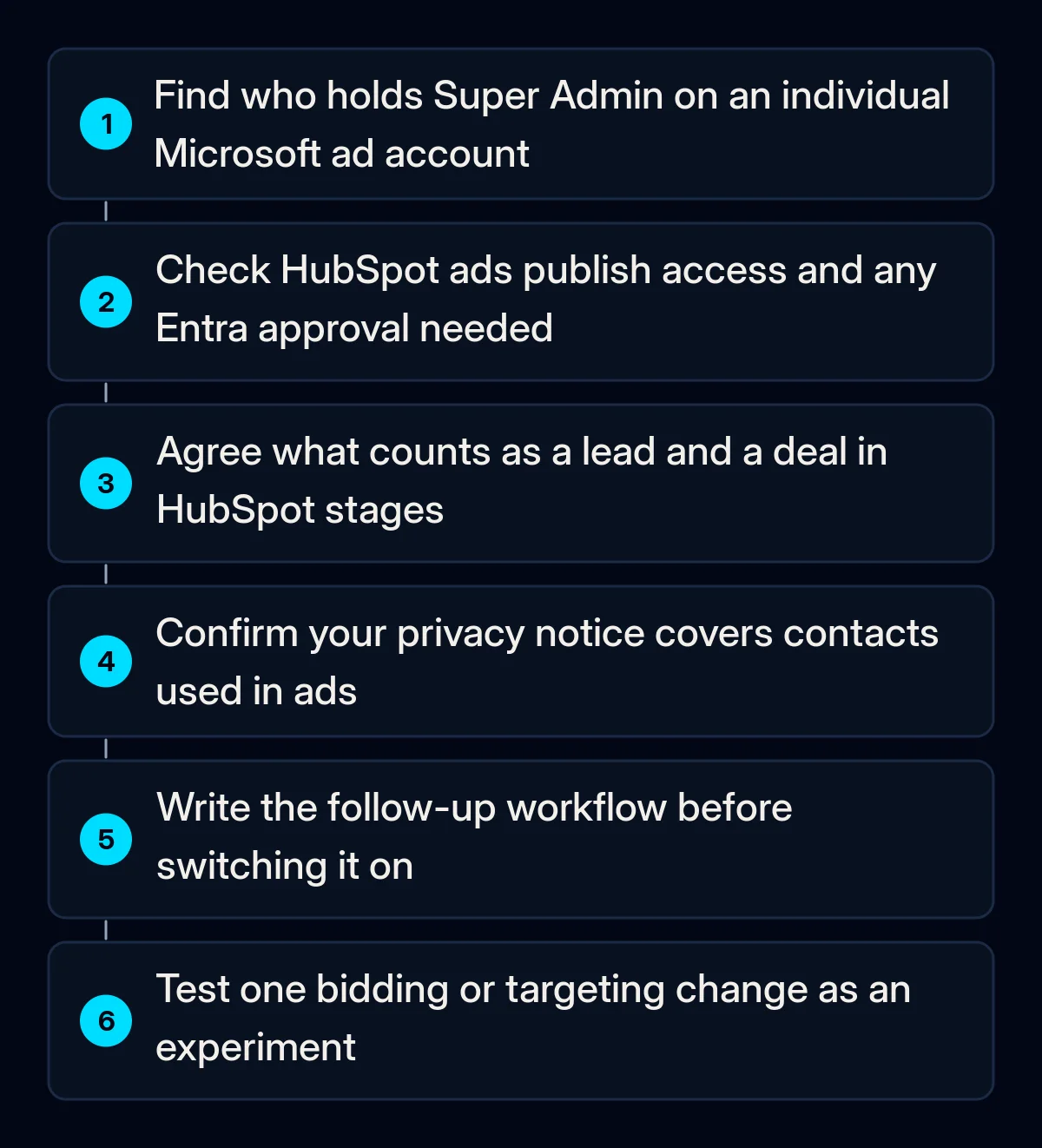
Fifth, use experiments for one change at a time. If you are planning to change bidding or targeting before the holiday peak, run it as an experiment instead of editing the live campaign. In our paid advertising campaigns we keep one experiment per campaign running at a time, so the result says which change made the difference.
If you do not use HubSpot, nothing changes in your CRM setup today. The experiments are available either way, and the lesson about clean lead and deal stages applies to every CRM-to-ads connection, not just this one.