WordPress security update 7.1.4 was released on 28 October 2026. WordPress recommends updating promptly because the release fixes security issues in the software that runs the site. If your business uses WordPress, ask whoever maintains it to confirm the installed version, arrange the appropriate update and check that customers can still enquire or buy afterwards.
This is a maintenance task for an existing site. The announcement does not tell you whether your own installation has updated or whether it has been attacked. Those questions need evidence from that installation.
What the WordPress security update changes
The release fixes problems in WordPress itself. Its detailed documentation lists issues involving stored scripts, content permissions and the update process, with different prerequisites for different findings. A stored script is unwanted code saved in content and later run in a browser; the permission conditions matter when explaining who could introduce it.
Patchstack’s technical analysis says most listed issues require a WordPress account allowed to create or edit content. It also describes a weakness that can allow an attacker to run code during an update under particular conditions. We would give the maintainer the release notice and ask them to confirm the installed version and report any update error. The findings do not establish that every visitor can exploit every issue.
Has your own site actually been updated?
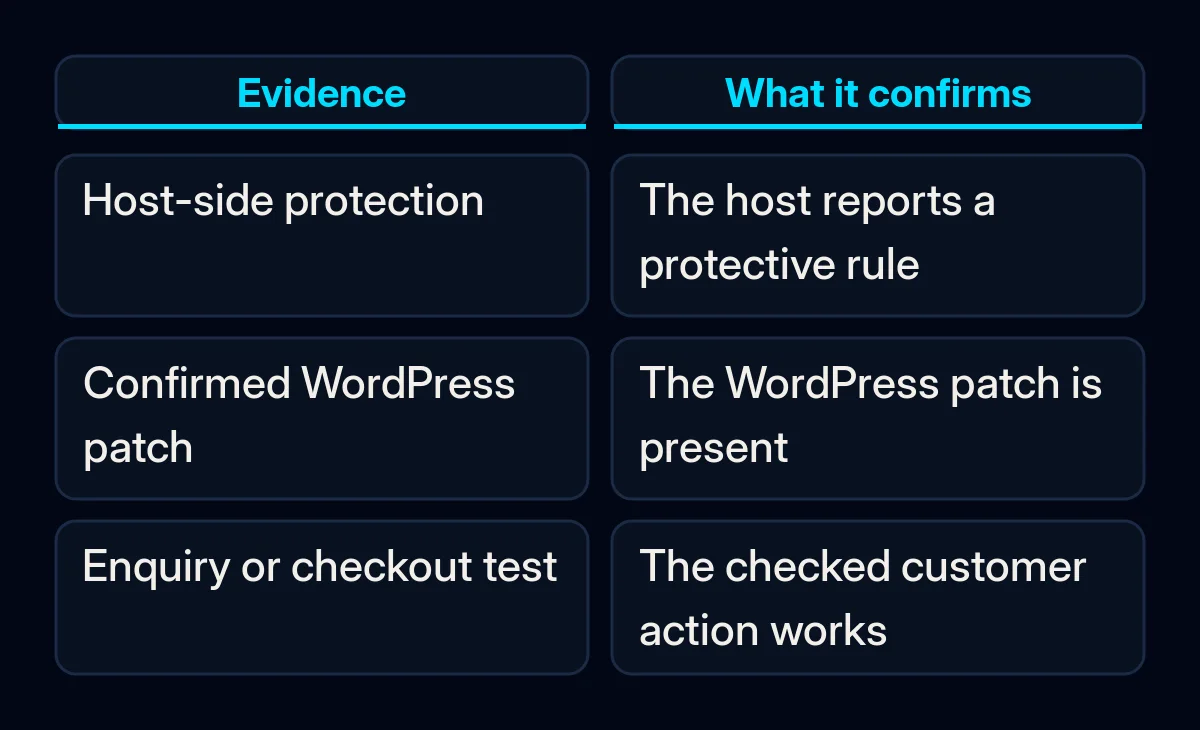
Confirm the version running on the installation that serves your business domain. WordPress documents background security updates for eligible sites, but configuration and hosting arrangements can affect them. Check the installed version to establish whether this installation received the update. Background-update eligibility and settings describe the intended process, but do not prove completion.
Ask the host or maintainer whether their confirmation concerns an installed update to WordPress itself or a protective hosting rule. Pantheon’s release note provides a useful example: it says the platform added protective rules against some external abuse, while still asking customers to update their sites. That statement applies to Pantheon and is not evidence about another host.
What to ask the maintainer to do
Ask the maintainer to record the installed version and check the main action customers take on the site. We would use the steps below to agree what they will do and what you will check afterwards. These checks do not imply that this update is known to break forms or payments.
- Name the site and the maintainer. Send the business domain and ask who will apply the update. If a host handles maintenance, use its established support or deployment process. Record the version before the change and the version they plan to install.
- Identify a usable backup. WordPress’s backup handbook says a typical full restoration needs both the database and files. Ask when that backup completed, where it is held and who can restore it. For a trading shop, ask how recovery would handle orders received after the backup. Updates and backups belong together in website maintenance.
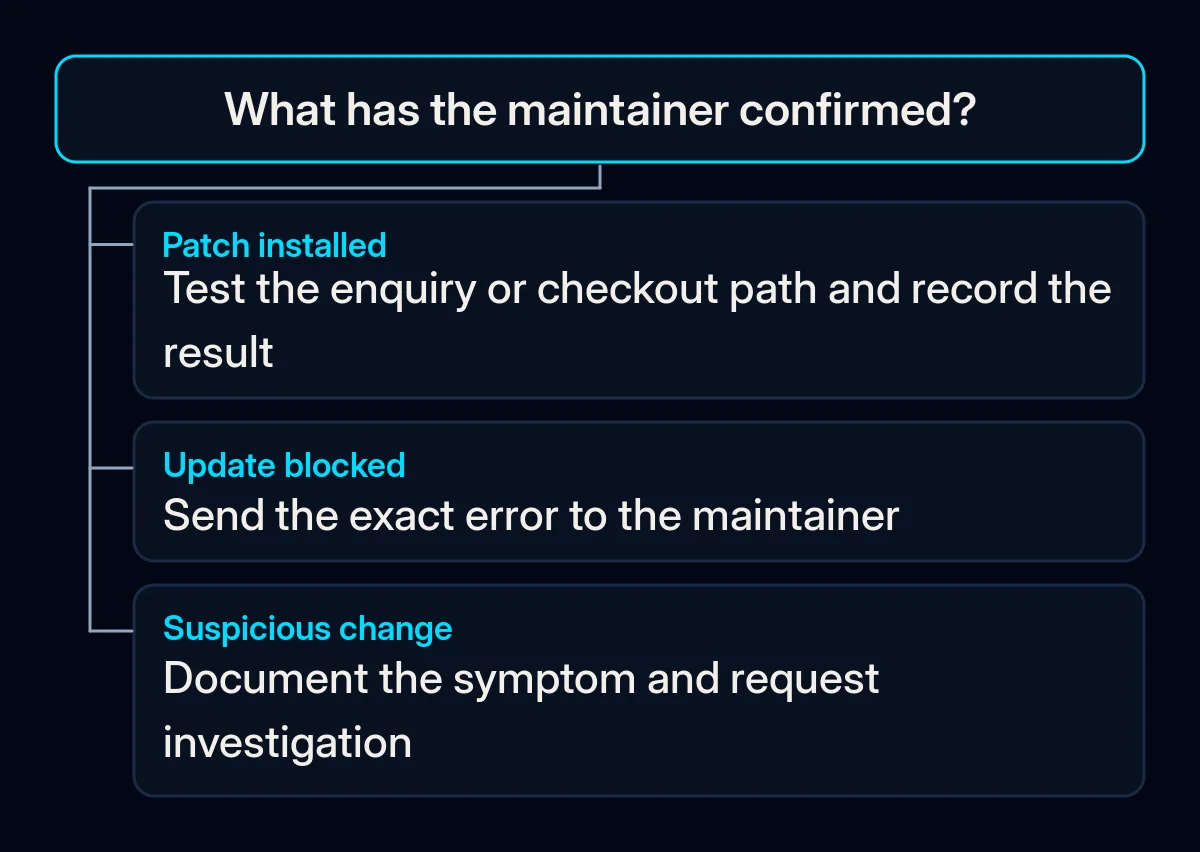
- Apply the documented update. WordPress gives the normal route as Dashboard > Updates > Update Now. An authorised maintainer should use the route appropriate to the hosting setup. If the screen shows an error or asks for unfamiliar credentials, send the exact message to that person instead of guessing at server settings.
- Confirm the installed version and test the enquiry or checkout path. Request the final WordPress version. Then submit an approved test enquiry and confirm it reaches the expected mailbox or customer record. A page saying the form was sent leaves the delivery step untested; our guide to leads lost between a website and sales explains that hand-off. If the site sells, have the authorised operator check checkout through its established safe testing process, without an unintended charge.
- Keep a short completion record. Record the site, final version, update time, backup reference, person responsible, test result and any exception still open. Where a form feeds a customer system, include the destination record in the check as part of form and CRM integrations.
If the site uses an older WordPress version
Give the maintainer the version before asking for a target. WordPress’s detailed release page lists fixes for older versions, including 7.0.8 and 6.9.11. It also says only the most recent version is actively supported. A security fix provided for an older version is a separate decision from a move to the current, actively supported version.
Ask the maintainer to confirm which security update applies to the installed version and identify any work needed to move the site onto the current version. A patch for an older version does not promise continued full support.
What if an update fails or the site looks compromised?
If the update fails, send the exact error and time to the maintainer or host. Suspicious changes need a separate investigation: WordPress’s hacked-site guidance starts with documenting the problem and its timing. Applying an update alone cannot answer how an unknown administrator account appeared or whether customer data was affected.
We would keep those exceptions visible in the completion record.