If you searched for “core web vitals assessment failed” after seeing a green speed score, start by checking which data each result describes. PageSpeed Insights (PSI) combines evidence from real visits with a separate controlled test. Record the address, device, data scope and failing metric before buying a tool or asking someone to rebuild the site.
We start with that record because “make the score green” leaves too much open. A developer needs to know which experience needs attention and what evidence will count as a useful repair.
Core Web Vitals assessment failed: what did the report measure?
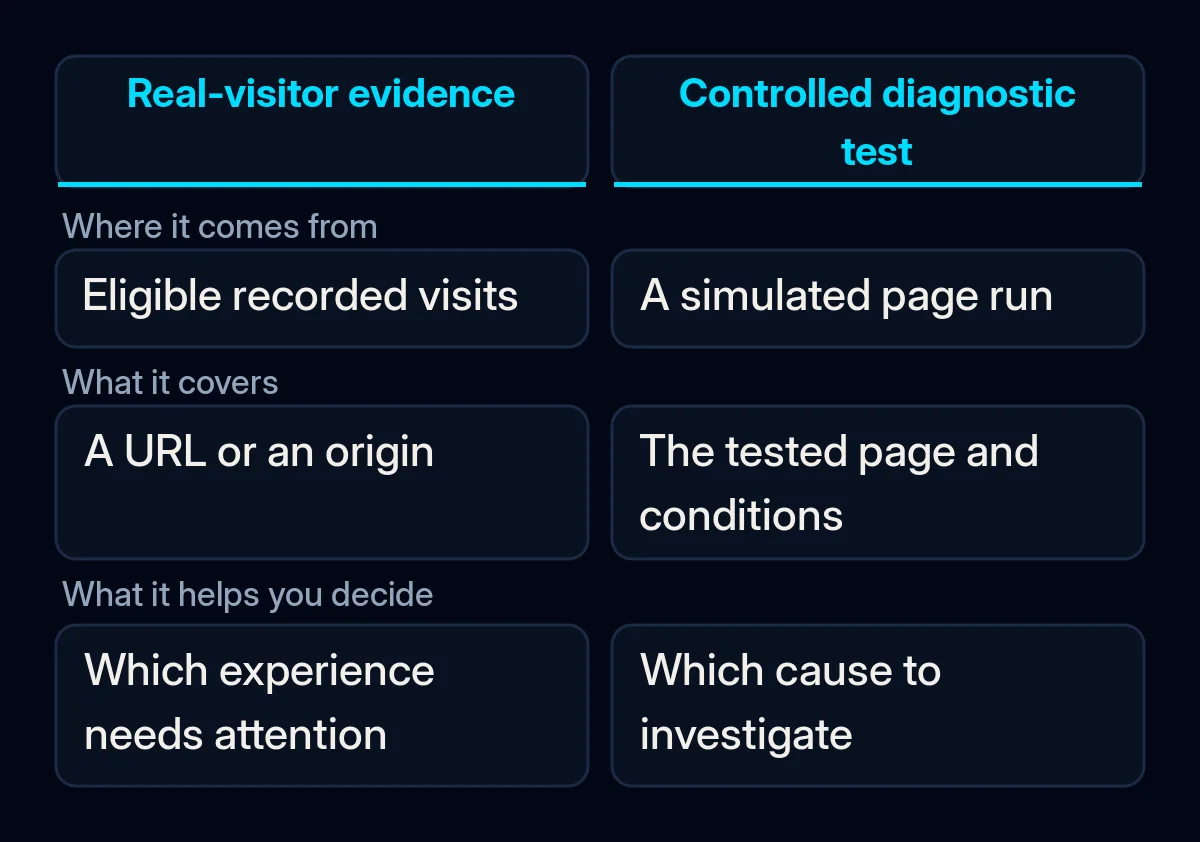
The assessment describes recorded visitor experiences, while the Lighthouse section runs a diagnostic test. Google’s PageSpeed Insights documentation explains that field data comes from the Chrome User Experience Report, or CrUX, over a trailing 28-day collection period. A fresh diagnostic run and that history can therefore show different results.
The test conditions differ. A controlled run cannot cover every device, connection and action in real visits. Use it to investigate a possible cause; keep the visitor data alongside it when deciding what remains unresolved.
The result may cover a wider area. If there is too little data for the exact page, PSI can fall back to the origin, broadly the same website address including its protocol and hostname. An origin result combines visits across pages. Read the visible scope before treating it as proof about a particular product or service page.
The period includes older visits. A change made today does not rewrite yesterday’s observations. Save its deployment date so you can distinguish an immediate check of the repair from later evidence about visitors.
These distinctions give the reports separate jobs: visitor evidence identifies an experience to investigate; a controlled test helps reproduce and examine it.
Which metric needs attention?
Look at LCP, INP and CLS individually before choosing a repair. Google’s Web Vitals guidance separates loading, responsiveness and visual stability. The table below gives the Good targets from that guidance, evaluated at the 75th percentile for the relevant device population. Google’s threshold guide explains the 75th percentile: at least 75% of measured page views must meet the Good target for that metric. This differs from an average or the overall Lighthouse score.
| Metric | What it describes | Good target | What to ask the maintainer |
|---|---|---|---|
| LCP, Largest Contentful Paint | When the largest visible content element appears | At most 2.5 seconds | Which element is delayed, and where in its loading sequence? |
| INP, Interaction to Next Paint | How promptly the page responds to interactions | At most 200 milliseconds | Which tap, click or key action is slow under the affected conditions? |
| CLS, Cumulative Layout Shift | Unexpected movement of the layout | At most 0.1 | Which element moves, and when during the visit? |
When all these metrics have enough data, PSI requires their 75th-percentile values to be Good for a pass. If INP data is insufficient, Good LCP and CLS can still produce a pass. If either LCP or CLS data is insufficient, PSI cannot assess that page or origin.
Treat missing data as uncertainty. Google’s CrUX methodology requires eligible visits and sufficient popularity; it does not publish a universal minimum visitor count. An absent result does not tell you that nobody visits, that the experience is good or that a repair has failed.
What can you check before paying for work?
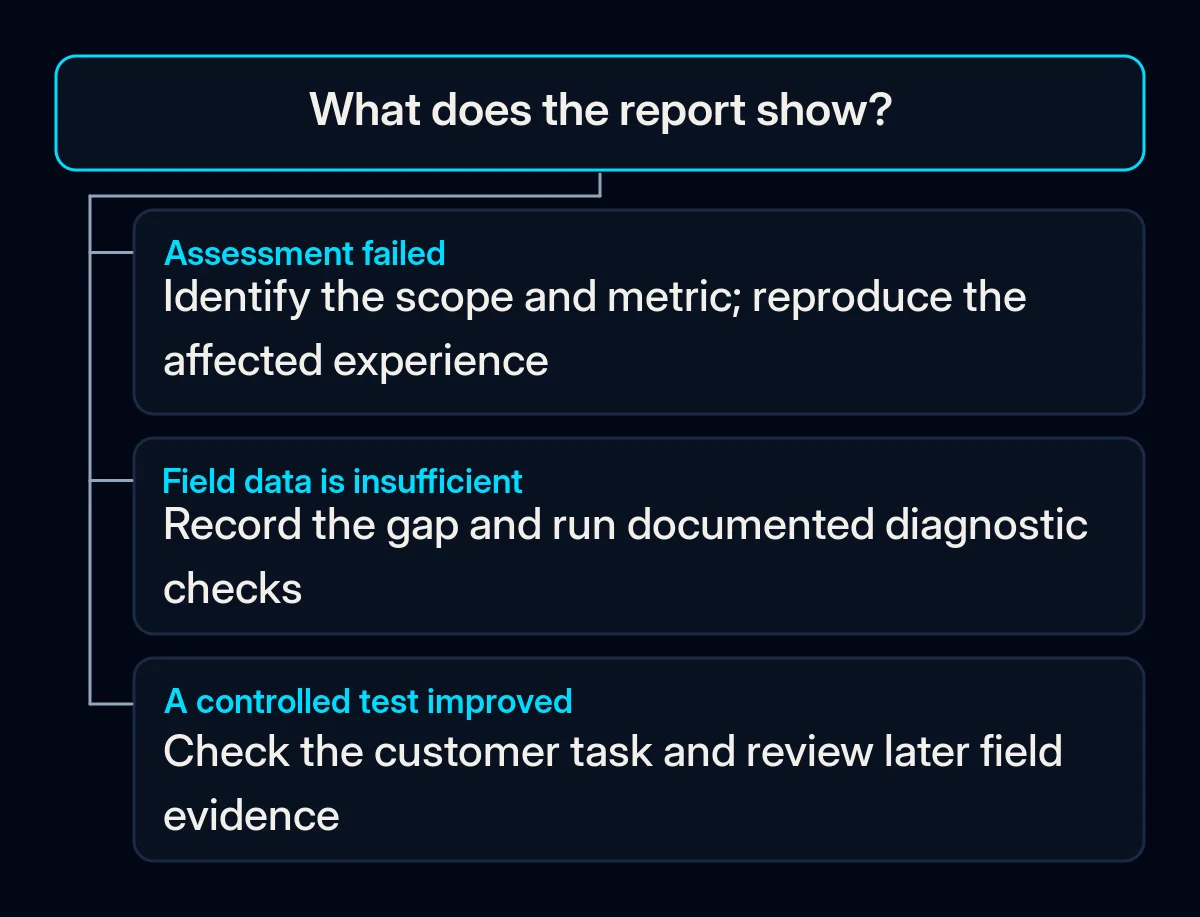
Save a baseline report and follow the same customer journey on a phone before choosing a tool. What you need is a clear description of the problem: the page, the data behind the warning and the behaviour you can reproduce. If you cannot reproduce it, record that limit rather than filling the gap with a guess.
- Open the exact business page in PSI. Keep its address and the report date. Include the landing page or template that matters to the enquiry or purchase you are investigating.
- Record mobile or desktop and the data scope. Copy whether the field section represents the URL, the origin or insufficient data. Use the same selection for later comparisons.
- Name the metric needing attention. Use the individual Core Web Vitals results, then read the diagnostic section for clues. Keep missing samples visible.
- Follow a real task on a phone. Open the menu, use the relevant filter or complete the relevant form. Write down what loads late, responds slowly or moves unexpectedly.
- Connect a clue to a test. Ask the maintainer to reproduce the affected action or loading delay and explain what the test can establish.
For broader image, widget, cache and hosting checks, use our guide to common causes of a slow website. Keep the current task focused on the failed assessment and the evidence needed to review a repair.
What should the repair include?
Choose the smallest change supported by the diagnosis, then agree how you will check it. Start with the reports and functionality you already have. Technical work becomes easier to review when the maintainer names the affected page or template, explains the bottleneck and keeps the before-and-after conditions comparable.
- Match the proposal to the metric. The web.dev LCP guide separates delays in the response, discovery, loading and rendering of the largest element. Its INP guide focuses investigation on slow interactions. The CLS guide includes shifts that happen after initial loading. Ask for the relevant evidence rather than a general promise to improve speed.
- Change the identified cause and retest the behaviour. A targeted resource or template repair can be part of website development and maintenance. Keep a record of what changed and when, and note how to reverse it where feasible.
- Check the customer task still works. Test navigation, forms and purchase steps relevant to the page. Keep consent controls functional; investigate their behaviour and layout while retaining lawful consent.
- Decide whether more evidence is needed. If the available reports cannot identify the affected interaction or page, further measurement may help. Ask what question the proposed monitoring answers before adding a paid service.
If the technical priority is unclear, technical SEO work can begin with diagnosis and a reviewable work list. A redesign or optimisation bundle needs its own justification.
You can copy this task card and leave unknown fields blank:
Page and business task:
Device and field-data scope:
Metric needing attention:
Observed behaviour and test conditions:
Proposed cause and change:
Deployment date:
Comparable check after the change:
Later field observation and remaining uncertainty:
How do you check that the work helped?
Review the changed behaviour first, then compare later field evidence within the same scope. PSI updates its field data daily, according to its documentation, while retaining a trailing collection window. Keep the deployment date with the record. That window is not a promised countdown to a passing assessment.
Compare the targeted metric and the customer task under similar test conditions. If the symptom remains, reopen the diagnosis. If the test improves but later field evidence does not support the change, investigate the affected pages and visitor conditions again. Missing field data should remain an explicit limitation.
Where we come in
We begin with the report, the important pages and a task we can reproduce. We separate the proposed repair, the check of that repair and later evidence from visitors, so each decision has a basis you can review. A website performance brief can start with the task card above; keep its unknown fields visible.