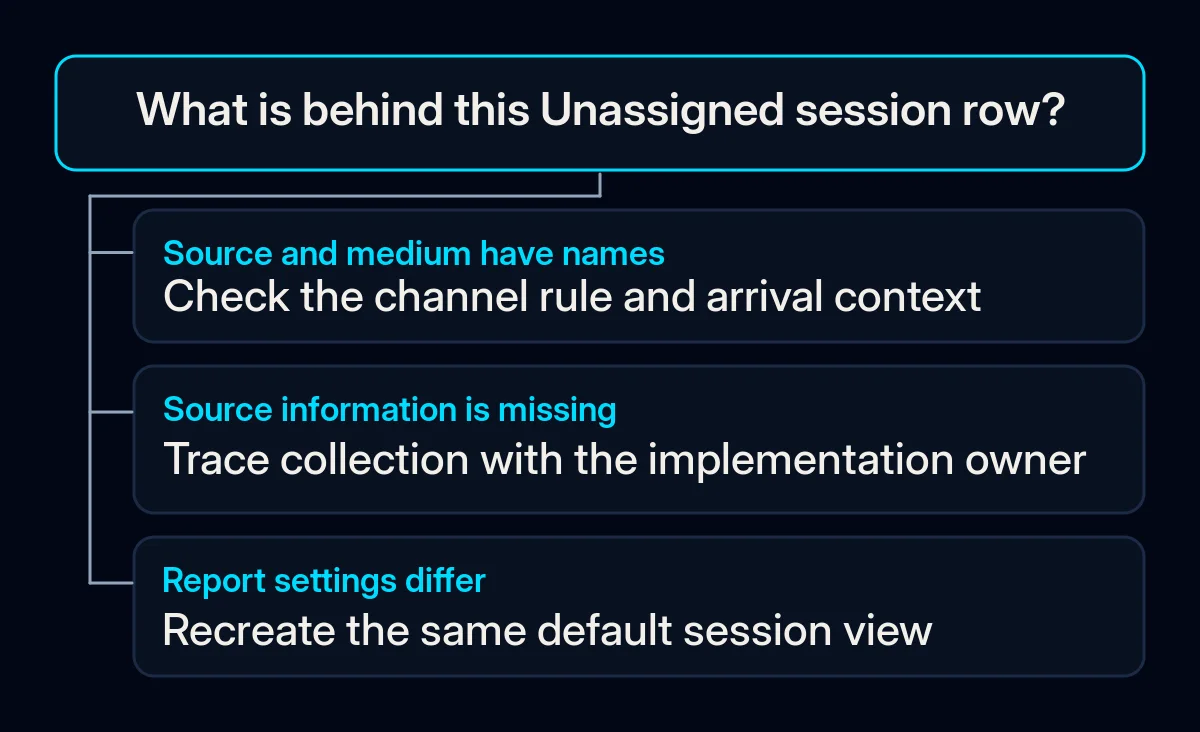
For GA4 Unassigned traffic, open Traffic acquisition and compare Session default channel group with Session source / medium. If source and medium have names, check the channel rule and the arriving link or advertising data. If information is missing, ask the person maintaining Analytics to trace collection. The label alone does not identify the cause.
Source means where a visit came from; medium describes how it arrived. Session fields describe visits, and we keep those fields together when comparing them. Save the row and its report settings before changing anything, so the next person can repeat the check.
What GA4 Unassigned traffic actually means
Unassigned is a channel category used when the data does not match the selected group’s other rules. Google’s tagging guide includes named source combinations and missing session or user information among the possibilities.
A channel is a category such as Email or Paid Search. Source describes where traffic originated; medium describes how it arrived. Keep the report’s scope, meaning which activity the field describes, consistent. Google distinguishes session, first-user and event channel fields. A first-user field describes how someone was first acquired; it answers a different question from the source of a later session.
Google maintains the default channel rules, which cannot be edited. Its Direct rule accepts source (direct) with medium (none) or (not set). A missing-looking medium by itself therefore proves little.
The separate placeholder (not set) means information was unavailable for that particular dimension; its explanation depends on which field you are reading.
Start with the report, before changing anything
Open Traffic acquisition in the GA4 property connected to this website. If you are unsure which property that is, ask the reporting owner before comparing any rows. Inspect the Unassigned row with session-level source and medium. Record the same dates, filters and field names so that someone else can reproduce the observation. If the report or required field is unavailable, ask the reporting owner to help with this read-only check.
- Find the report. In Reports, look under Acquisition for Traffic acquisition. Google notes that navigation can differ; an Editor or higher can restore a missing report. Save the property, website address, date range, property timezone and time of your observation. If you cannot isolate this website in the report, ask the reporting owner to help before comparing it.
- Check the channel dimension. Use Session default channel group for this check. Record the exact displayed label. A custom or primary group may use different rules; keep the default view as your reference. Keep the session metric and any filters with the record.
- Add the source field. Use the plus control beside the table’s dimension selector to add Session source / medium. Search or filter the channel row to Unassigned, keeping that secondary field visible. Copy the actual values, including placeholders.
- Save a minimal evidence card. Record the row’s count, the total you are comparing it with, and any comparable earlier period. Keep the totals and row counts private. Remove customer details and identifying URL parameters before sharing a cropped screenshot with the responsible person.
If dates or dimensions differ between screenshots, make a comparable view before interpreting a change. Keep a recent, still-processing period marked provisional; Google’s freshness documentation says report data can change during processing.
What to check after you read the row
A named source and medium give you values to compare with a channel rule. Missing or inconsistent information sends the investigation towards collection and session context. Neither branch proves the root cause. Linked advertising traffic can also depend on campaign and platform information beyond the visible source pair, so involve the person responsible for that advertising integration.
| Observation in the same session view | Next check | What remains open |
|---|---|---|
| Source and medium have names | Compare the applicable Google rule and the actual arriving link or linked-ad context | The names alone do not prove collection is healthy |
| Source information is missing or inconsistent | Ask the Analytics maintainer to trace the agreed test route and session information | The row alone does not identify a tag or consent fault |
| Reports use different scopes, groups or dates | Recreate the same default session view | A comparison made from different settings cannot isolate the cause |
For a named pair, ask whether the naming was deliberate before changing it. Google’s default definitions are case insensitive; capital letters alone are not a sufficient explanation.
Do not add guessed campaign parameters - values in a link that describe its campaign - to an advertising link the platform already tags automatically. Google documents conditional interactions between manual and automatic tagging. Ask the person responsible for that advertising setup to check how the platform tags the link.
Check the route with the Analytics maintainer
Use a test arrival that the site’s authorised maintainer agrees to inspect. Keep the tester’s actual privacy choices and the implementation your team has approved. The goal is to compare an expected route with what reaches Analytics, then identify a specific change if the evidence supports one. If you cannot edit the implementation, give the maintainer the report record without changing tags.
-
Name the route and expected result. Agree which existing link or integration is affected, where it should land and which source information is expected. Use an approved test route and device. Avoid clicking a live paid ad, placing real orders or submitting customer details for this check. Before changing campaign settings or budgets, ask the person responsible for paid advertising measurement to check how the platform tags that link.
-
Record what actually arrives. Ask the maintainer to inspect the landing route, redirects and received events against the version of the site’s measurement setup used for the test. Google’s tagging guide describes cases where events become disconnected from their user or session because configuration arrives later. That is a reason to inspect this route, not to move every tag to another trigger.
-
Preserve consent conditions. Keep the tester’s real privacy choices unchanged. Ask the person who maintains the consent setup to verify the documented order for the actual installation.
If the site uses Google’s tagging code directly through gtag.js, the consent guide requires the default state before commands that send measurement data. In Google Tag Manager, the maintainer should use its consent APIs, which manage consent, and follow their documented order. Later updates must reflect the visitor’s choice.
Do not force optional analytics consent to make a report look complete.
-
Read debugging evidence within its limits. DebugView can help inspect received events, but Google describes its attribution analysis as limited. Privacy controls or refused analytics-cookie consent can keep events out of that view. Record that condition; a missing debug event alone does not establish a fault. Have the maintainer remove temporary debug configuration when finished.
If the actual problem is a missing enquiry or advertising action, use the separate conversion tracking checks. A channel label does not verify that a form was delivered or that an advertising action was credited.
How to check the change
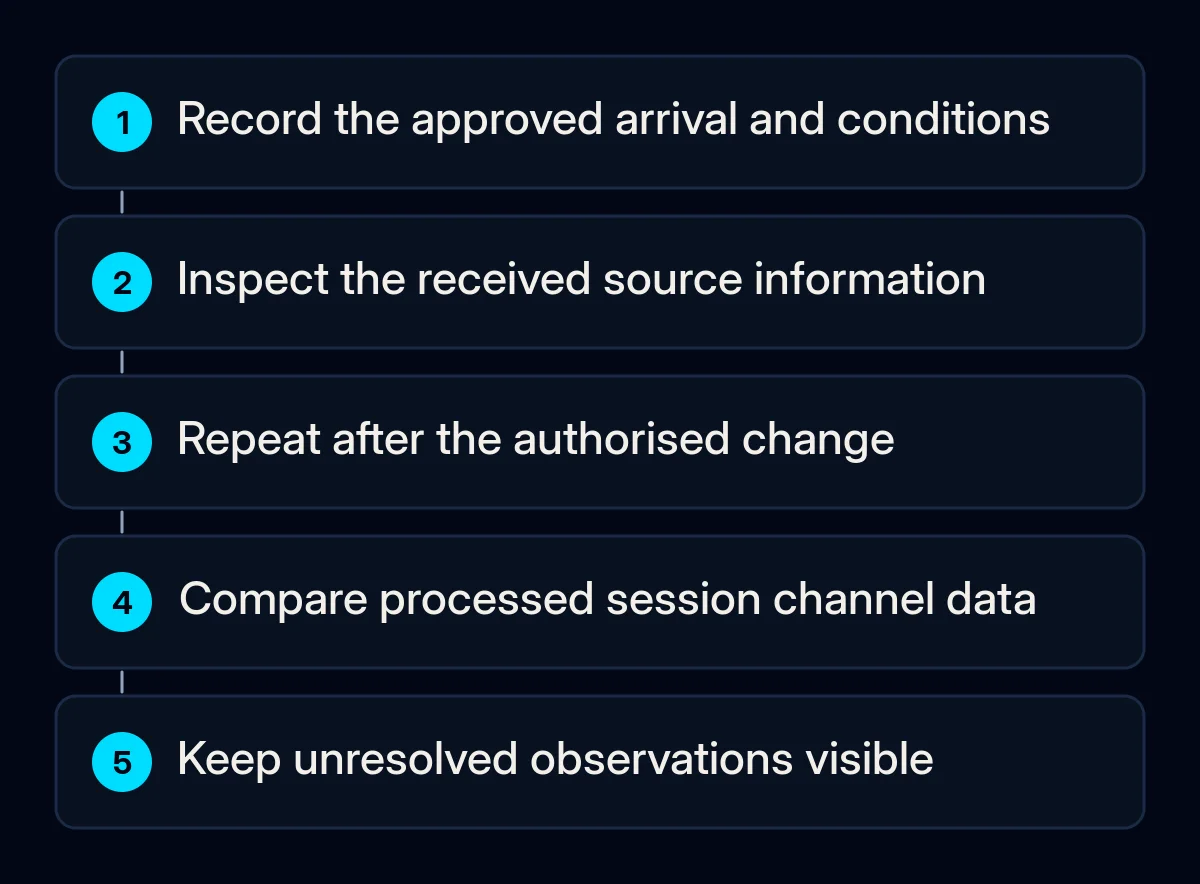
After the authorised change, repeat the same test route under the same conditions. Review channel attribution separately in a comparable Traffic acquisition period after Analytics has processed the data. A successful trace verifies the path and conditions tested. Record unresolved observations, including cases where privacy choices prevent the expected measurement.
-
Keep the test record. Save the configuration version, change date, expected source values and observed result together. Compare the affected row’s count and its share using the same session definition, filters and suitable periods. Check the source pairs behind any change in the grouped total. A change in the sources sending visits during that period or in the reporting rules can also change that total, so a smaller row does not by itself prove a collection repair.
-
Label any change in reporting rules. If deliberate naming needs its own category, ask the analyst whether a separately documented custom channel group fits the reporting task. Google’s custom groups can reclassify retained historical data. They do not create source facts that were never collected. Preserve the default reference and label the group being compared.
-
Agree what the source field means. When the report becomes part of a shared lead record, agree which source field it represents before joining it to sales data. In our CRM and analytics work, that definition and a named owner come before automation. A classified session still leaves the question of which enquiry became a paying customer to a separate check.
Where we come in
We start with the report record, then give the link, reporting or implementation owner a specific check. We keep the source and medium you saw, the agreed change and the result of the repeated check on the same card. Save it before the next discussion so everyone can start from the same evidence.