Shopify sessions dropped after 16 November? Improved bot detection may explain a lower count in reports filtered to human activity. Shopify says its update changes how cart and checkout activity is classified; orders, sales and customer data are outside that change. Check the report filter and review orders separately before changing advertising. A particular shop can still have a genuine sales problem.
Shopify dated the announcement 16 November 2026, and AdShift separately reported it. Neither announcement diagnoses your store or gives an expected percentage decline. The first step is to establish what the chart includes.
Why Shopify sessions may have dropped in a human-filtered report
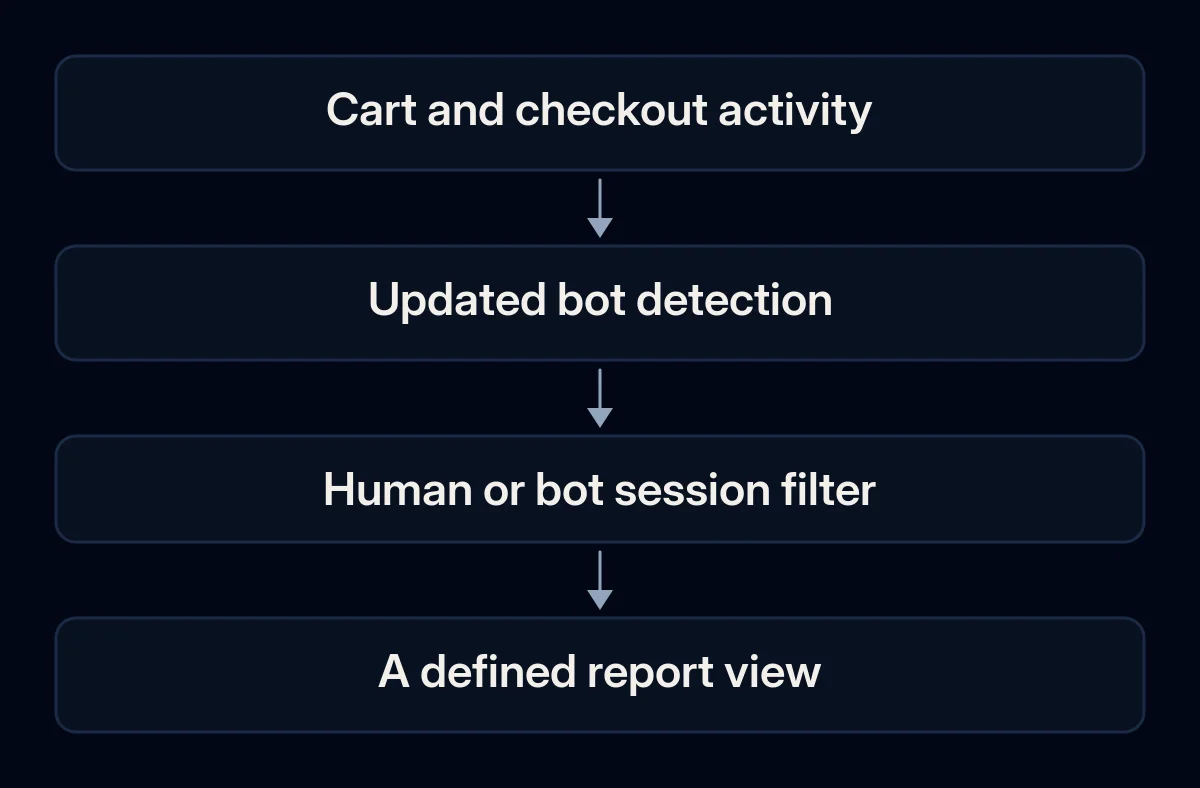
Shopify analyses activity and classifies a session as human or automated. Its November improvement can move activity out of a human-filtered view. A smaller displayed total can therefore reflect a different classification of visits. It does not establish that the same number of potential customers disappeared.
The reporting filter already existed. Shopify’s separate changes to session measurement rolled out in September; the November announcement concerns detection of cart and checkout bots. Keep these events separate when explaining a change to a colleague.
The human classification also has limits. Shopify says some automated activity may take time to identify. Some headless setups, where the customer-facing shop is built separately from Shopify, also behave differently. The label describes a reporting classification; it does not prove that every visitor was a potential customer.
Check which sessions your report includes
Use a report that displays a Human or bot session row under Filters. Shopify documents the following route. Before inspecting it, note the report name, dates and existing filters so that you can return to the original view.
- In Shopify admin, open Analytics > Reports, then a session-related report. If the configuration panel is hidden, select Controls.
- Find the session-type filter. Record its current operator and selected values. If the required row is unavailable, stop and ask an authorised report owner for a supported view; availability varies.
- Inspect the human-only and bot-only selections using is with the relevant value. These single-value selections apply immediately. For both, use is one of, select both values, then Apply.
- Do not save this inspection over a shared report. Discard removes all unsaved changes, including any other edits, so preserve work you need before using it.
You now have a defined view of session activity. Adjusting it does not block visitors or change the storefront’s protection. Leave security settings and customer consent arrangements in place.
Compare complete periods and inspect orders separately
Use fixed dates and complete periods for the comparison. Shopify’s rolling ranges can include today while it is still in progress. Its date controls let you choose a fixed range or exclude the current period. Record both actual ranges alongside the filter so that the comparison remains clear tomorrow.
Keep the same report restrictions when comparing views. This keeps the comparison scope consistent, although it cannot remove every historical measurement difference. In particular, Shopify warns about comparisons spanning its September measurement update. Do not reconstruct an older traffic total by assuming that adding the two classifications recreates it exactly.
Now open an orders or sales report for the relevant periods. Look for a separate change in purchasing, using a consistent definition and sales-channel scope. The November update does not prove that orders stayed steady in your own store.
If you also inspect an advertising platform, keep its numbers labelled separately. Shopify’s marketing documentation explains that platforms can credit sales differently. Clicks, sessions, attributed sales and total orders answer different questions; making their totals match is not the purpose of this check.
What it means for your business
We would use the findings to choose the next investigation. A smaller session total alone is insufficient evidence for cutting a campaign or replacing tracking. Write down the report name and filters, the exact periods and whether orders or sales also changed.
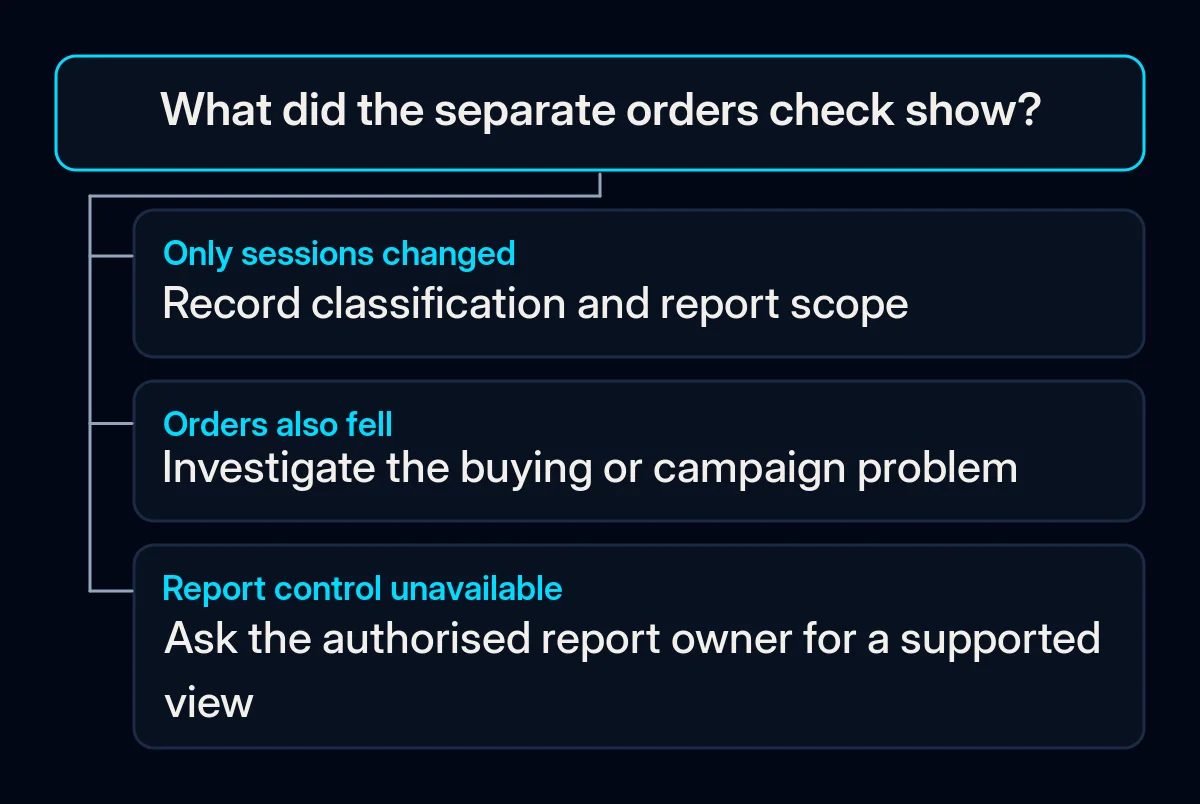
If orders also fell and you have separate evidence of a buying problem, investigate that problem. Our guide to checking a real checkout problem covers that branch. Keep payment tests within your store’s approved process; this reporting check does not require placing a live order.
When handing off ecommerce website checks, describe the affected page or buying step and the observed symptom. For CRM and analytics work, keep the report definition and the order evidence together, without customer details or access credentials. That gives the investigator one specific question to answer.
If orders appear steady, retain the note about the classification change and continue observing the same defined view. Stable orders still do not establish that every campaign is healthy. The immediate outcome is narrower: you can explain what the chart represents and choose the next check from evidence.