Claude Duet entered a research preview on 21 October, starting with US Pro and Max subscribers through a waitlist. Anthropic describes an assistant that notices work in connected apps and prepares it in the background. For a business owner, the first decision is whether you can access it, whether your organisation permits you to connect its data and whether the task suits this early version.
MacRumors independently reported the launch that day. Our proposed first-test brief is based on the published conditions; we have not tested Duet ourselves.
Who can use Claude Duet today?
Anthropic’s getting-started help requires a US Claude account, a Pro or Max plan and an invitation. Team and Enterprise are not supported yet. The announcement gives no European release date. Joining the waitlist provides no fixed admission date, so avoid planning a business process around an invitation that has not arrived.
If you are outside the eligible preview, prepare the task definition without connecting company systems. A subscription alone does not settle whether your organisation permits its work data in that service.
What changes when the assistant starts the conversation?
The announcement describes a morning brief, later checks of connected apps and work that continues on Duet’s cloud computer when you step away. Existing Claude memory, skills and connected apps carry over. “Proactive” means the assistant can raise something needing attention before a fresh prompt from you.
Anthropic says Duet is designed to ask before sending, paying, signing or deleting. Stripe’s separate launch announcement confirms approval before a Link purchase is completed. Preparation and permission to act therefore need separate checks.
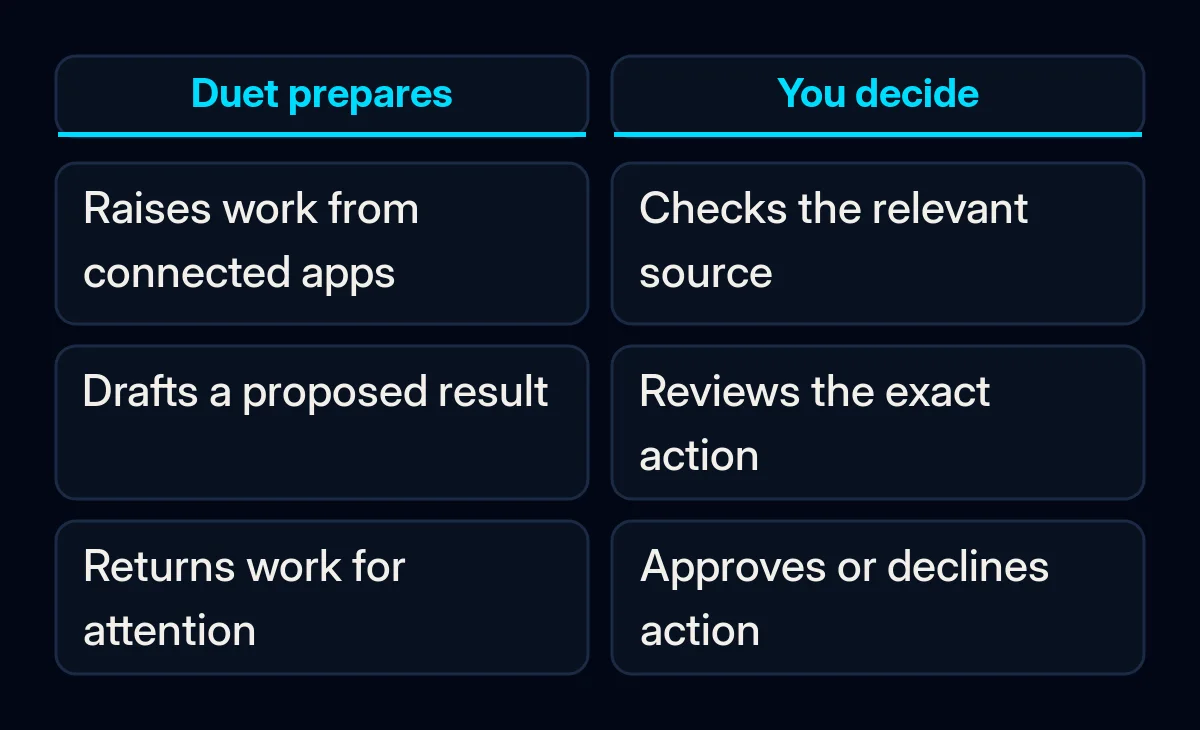
For an initial evaluation, we would choose a prepared brief or draft that can be checked against its inputs. Keep consequential actions outside the first assignment. Write down what the result should contain so you can compare it with the completed work.
Which limits matter before connecting work apps?
The help page says background work consumes shared Claude limits. It also lists interval-based checks, no way to watch or take over Duet’s browser, unavailable Microsoft 365 access and limitations for Slack. Disconnecting an app stops future access but keeps memory from earlier conversations. Check those conditions against the task before connecting anything.
An urgent response process needs its existing owner while you evaluate the preview. A task that depends on an unsupported connection should wait. Before the test, write down which data Duet may use, what information the connected account already makes available and what output you expect.
What it means for your business
We would begin with a small, inspectable assignment using non-sensitive material you are authorised to share. Write the expected result before handing it over. This is the same process-first approach behind our AI implementation projects: define the work and the review before choosing how much to automate.
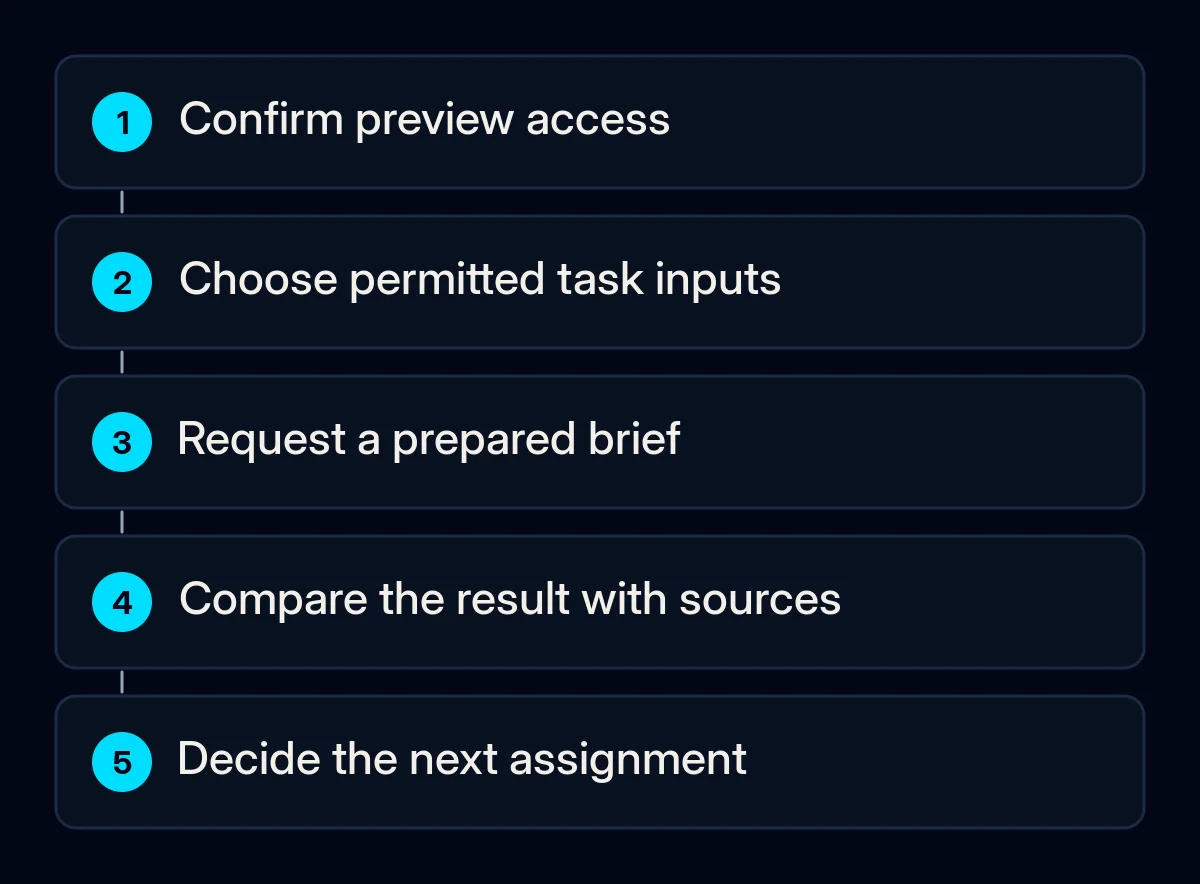
- Check the entry conditions. Confirm access and the required connection. If either is missing, keep this as a written exercise.
- Choose permitted inputs. Identify the material the task needs and review what is already connected. A task description is not a technical restriction on an app’s permissions.
- Ask for preparation. Specify the document or draft you want, the sources to use and the questions that should remain for you.
- Inspect the result. Compare it with the original material. Record missing conditions, unsupported statements and work you had to redo before considering any wider assignment.
For example, our proposed brief for an eligible user is:
Prepare a meeting brief from the non-sensitive material I identify. List the open questions and link each factual point to its source. Keep suggestions separate from confirmed facts. Return the brief for my review; do not send messages or change records.
This example has not been tested in Duet. It describes the intended task; it does not replace permission settings or review of an approval request.
If the source is a sales record, agree which fields Duet may use and name the person responsible for the next step. That is part of CRM and workflow automation, regardless of the assistant. For the broader division between reading, drafting and deciding, our guide to automating emails with AI covers the underlying process.
How to decide whether to keep the test
Keep a record of the input, returned work and corrections. Check whether the sources support the result and whether the reviewer can see what still needs a decision. Anthropic acknowledges that this preview can misread information or urgency; a useful draft still needs review before an action is approved.
If the output needs extensive reconstruction, narrow the assignment or stop it. If it is useful, we would define the next task with permitted data, a named reviewer and separate review conditions. Then decide on broader access from what the test shows.