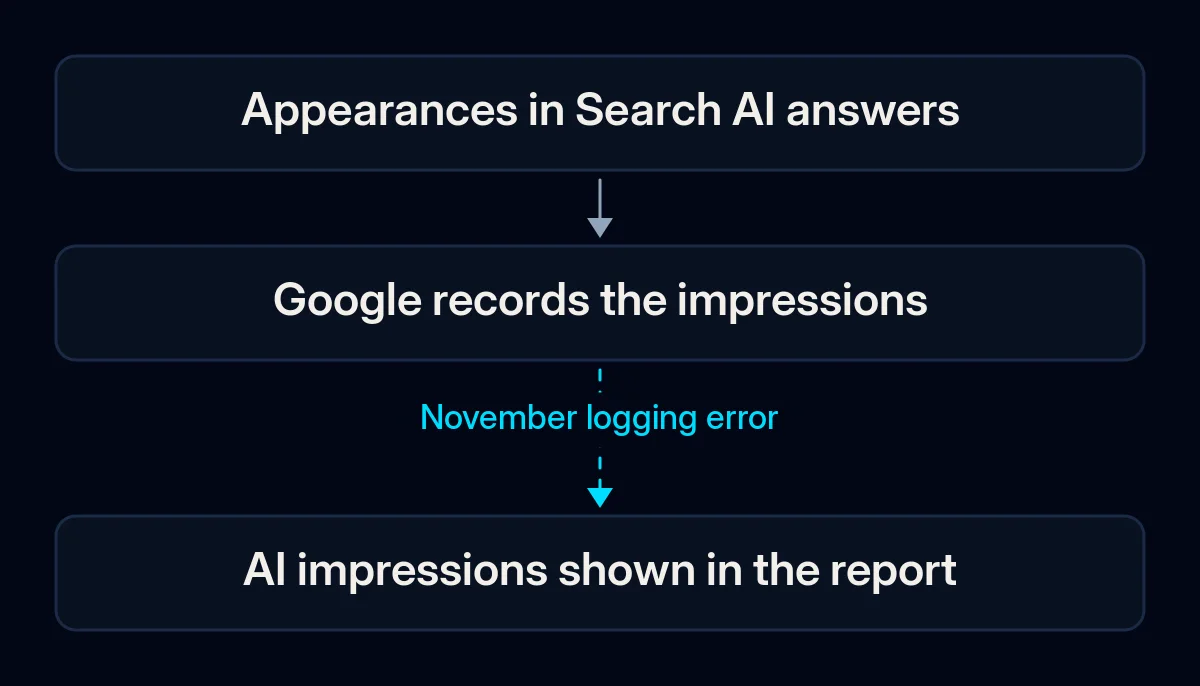
Google has listed a logging error that lowered recorded Search Console AI impressions for 9-11 November 2026. It affects the Generative AI performance report in Search. If your drop is in that report and date window, mark the comparison as affected before changing your pages. The notice describes data logging only; it does not explain a fall in clicks or enquiries.
Search Engine Roundtable reported the notice on 12 November. A business reviewing its search performance should first check which numbers were affected and keep that limitation visible in the report.
What happened to Search Console AI impressions?
Google’s anomaly notice identifies reduced recorded impressions in the dedicated AI report for the affected dates. An impression is a recorded appearance, rather than a visit to your website. The report covers AI Overviews and AI Mode in Google Search, according to its help page. Discover has a separate report, and Search Labs experiments are outside this Search report’s scope.
A logging error means that the reporting process recorded the activity incorrectly. Google’s November entry does not quantify the missing impressions or identify how much any particular site was affected. When we checked on 13 November, the entry also gave no commitment or date for restoring the missing November data. An August restoration note on the same page belongs to a different incident.
Does the dip mean fewer people visited your site?
The affected AI-impression series cannot tell you that on its own. Search Console records activity in search results; Analytics records activity after people reach the website. Google’s guidance on using the tools together explains why clicks and sessions need not match. Your enquiry records show what happened further along that path.
Keep these measures separate when you compare them. A steady visit count can coexist with an impression-reporting problem, but it cannot reconstruct the missing impressions. If visits or enquiries also fell, investigate that change separately using independent evidence. The incident notice does not establish which search feature sent a particular visitor or caused a lost enquiry.
What it means for your business
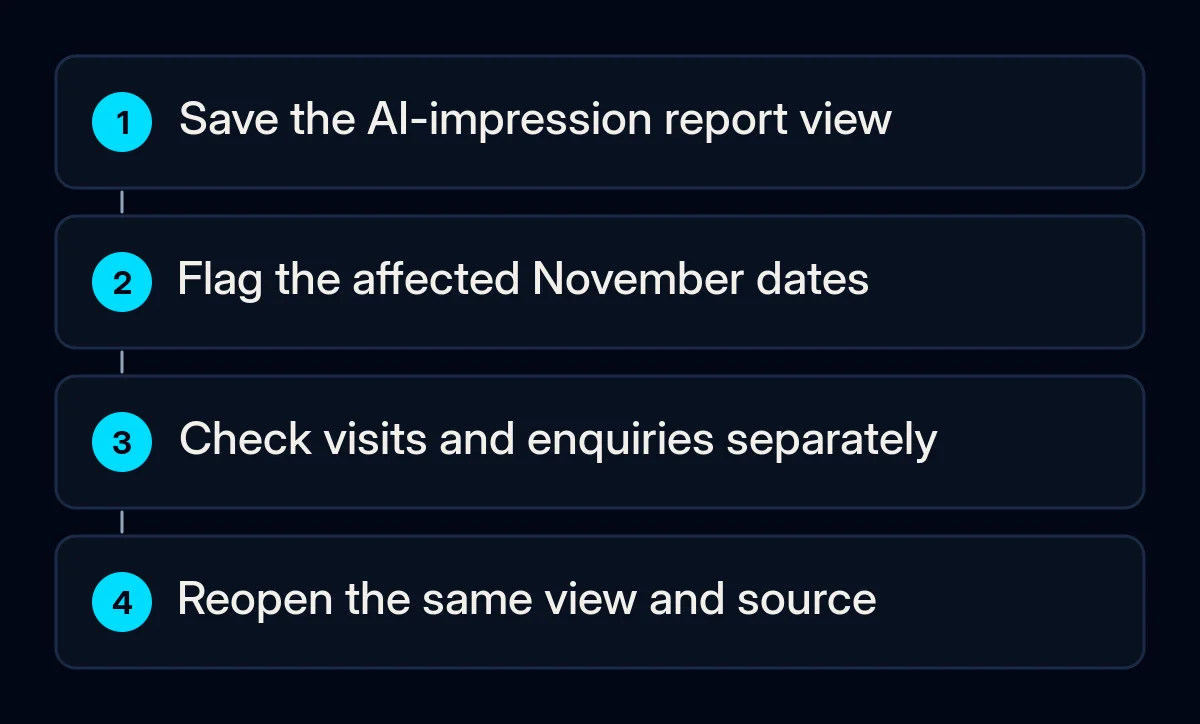
We start by saving the affected view, qualifying the comparison and then checking website visits before deciding whether the site needs work. Start with the tools and records you already use. You do not need to buy an AI visibility tool to add a reporting caveat or to check whether an important page still works.
- Identify the view. Open your Search Console property and the Generative AI report under Performance. Confirm that the metric is impressions and the affected dates are 9-11 November. Google’s report uses Pacific Time, so record that timezone before comparing it with another system. If you are looking at ordinary Search clicks, a different date range or Discover, look for evidence specific to that view.
- Save the context. Record the property, report name, date range, search type and active page, country and device filters where available. Save a screenshot and use the report’s export option. Google’s export guidance says that exports retain current filters and grouping; values shown as unavailable can become zero in an export. Keep the reporting caveat beside the file, and do not treat an exported zero as proof that nobody saw a link.
- Flag the affected comparison. Put the incident dates and official source beside any chart or weekly report that includes them. Leave the recorded values intact. Do not fill gaps with a guessed corrected total or use the affected AI series alone to judge SEO performance.
- Check visits and enquiries separately. Review ordinary Search clicks and recorded website visits for comparable pages, markets and devices, aligning date windows and noting timezone differences. Check the enquiries your business actually received. If source information is missing between a form and its receiving record, test that handoff; this is part of our CRM and analytics work. Existing measurement gaps and consent choices still limit what the comparison can show.
- Choose the next action from the evidence. A verified broken page or form that fails to submit needs attention. A real decline in clicks needs its own investigation, including the checks in whether AI Overviews caused a traffic drop. An affected historical impression chart alone is insufficient grounds for rewriting pages or changing indexing settings.
What should you put in your next report?
Use a short incident note that lets someone repeat the check. We would attach the official notice to the saved view and name the person responsible for reopening it. That preserves what was known when the report was written, even if the numbers or Google’s explanation later change.
A note can use this shape:
Report and metric:
Affected dates and report timezone:
Property and active filters:
Official incident source:
View/export saved at:
Separate visit and enquiry observations:
What remains unknown:
Owner and next review date:
Google also warns that newest report values can be preliminary. Keep that ordinary data-freshness caveat separate from the confirmed November logging incident. When you revisit the report, use the same filters and record when you checked it again. If Google publishes a restoration update, read its exact date and scope before treating the comparison as complete.
When should you investigate the website?
Investigate when independent evidence points to a problem: an important page fails to load, a form does not reach the receiving system, or visits for comparable pages and markets have declined. Google’s traffic-drop guidance describes several possible causes, including technical problems and changing demand. A shared date alone cannot identify the cause.
In our SEO analysis, we start with the report, its filters and the dates of any site changes before proposing page edits. For this incident, the next step is to save the AI-report caveat and write down what your separate visit and enquiry checks actually show.