
Microsoft Ads automated bidding is changing, but the announcement alone is no reason to alter a profitable campaign’s targets. Microsoft says improvements reach more accounts automatically over time. For conversion-based campaigns, first check the outcome being optimised, the quality of the conversion data and whether the reporting period has had time to collect results. Change a target only when your business objective or those results justify it.
Microsoft Advertising announced the upgrade on 18 November. That date is not a confirmed switch date for your account. We would keep a record of settings and results before making a decision instead of attributing every recent fluctuation to the announcement.
What changed in Microsoft Ads automated bidding?
Microsoft says it has rebuilt the way its bidding system predicts whether a click will convert and what that conversion is worth. The company presents this as a first stage, with improvements reaching additional accounts over time. Its reported average gains do not predict the result for your campaign.
Your immediate decision is whether you need to intervene at all. Separate an automatic platform update from a deliberate change to your campaign’s objective, target or budget. A different model does not establish that the customer action you count is the right one for your business.
Are you asking for more conversions or more value?
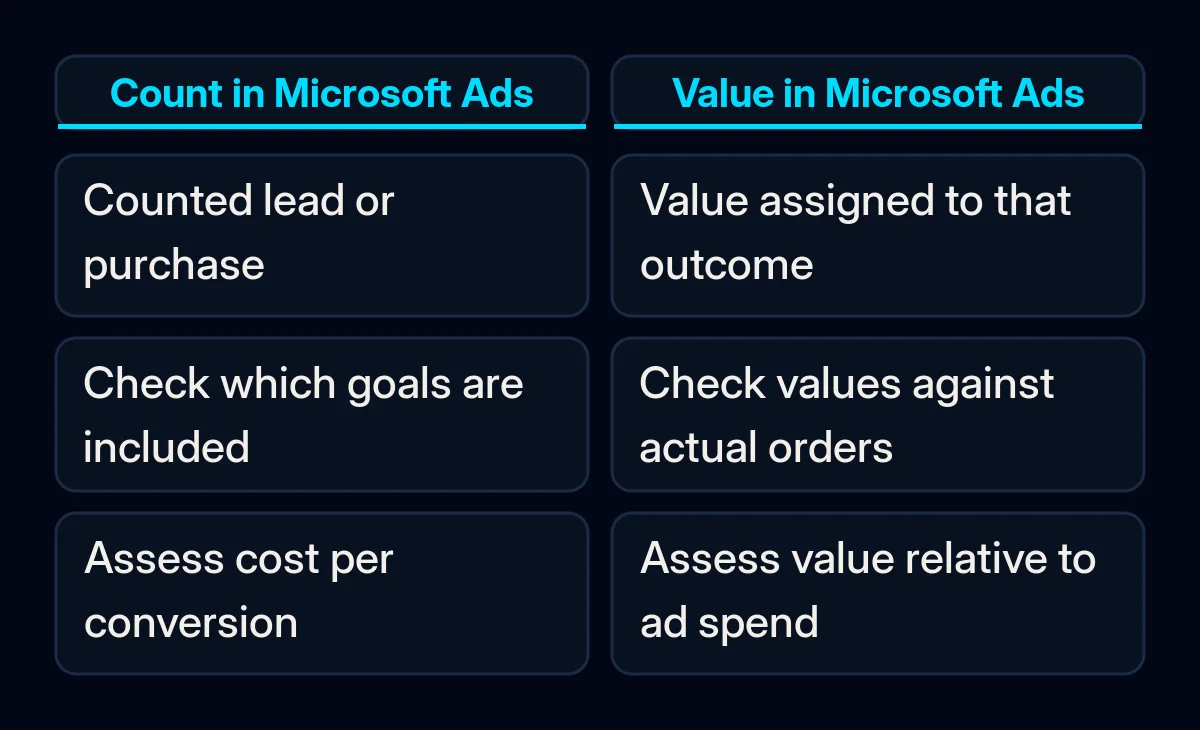
Start with the actual bid strategy and the goals included in it. Microsoft documents Maximize conversions with an optional target CPA for conversion count, and Maximize conversion value with an optional target ROAS for recorded value. Existing standalone Target CPA or Target ROAS labels can also remain, so record the strategy shown in your account.
CPA means advertising cost per counted conversion. ROAS compares recorded conversion value with advertising spend; it does not measure profit. A form submission and an accepted sales enquiry may have different business meanings even when a report calls both a conversion.
Microsoft documents that clearing Include in “Conversions” for a goal removes its conversions from automated bidding calculations, although they can remain under All conversions. That setting does not control view-through conversions (actions credited after an eligible Audience ad view without a click); verify those separately if your account reports them. Check the included goals before deciding that a busy dashboard contains useful data for bidding. For value bidding, compare recorded purchase values and currencies with the actual orders; a fixed value attached to every order hides differences between them.
Is there enough evidence to judge the campaign?
Microsoft uses different evidence for starting a strategy and judging its results. In its announcement, Microsoft recommends conversion-based bidding for new campaigns once the account has at least five conversions. The five-conversion recommendation concerns account history; it does not require five purchases in each campaign.
For evaluation, Microsoft says to use ideally thirty conversions in thirty days at campaign or portfolio level, where one bid strategy manages several campaigns, and to allow one to two conversion cycles after major changes. Treat these as assessment guidance. Reaching the stated count does not establish campaign profitability. A conversion cycle is the time between a click and the resulting customer action.
Recent results also need time to arrive. For conversions following a click, Microsoft’s conversion-delay documentation attributes them to the click date. Cost may therefore appear before all associated conversions are reported. Where available, use the Conversion delay column; if it is absent, compare the timing in your existing click-to-sale or lead records before choosing a review window.
Which settings and results should you compare?
Use the same campaign or portfolio, the same conversion definition and comparable periods. In Microsoft’s bid strategy report, actual performance is compared with average targets weighted by what the system used to manage spending. Today’s manually entered target alone can misrepresent a period during which targets changed.
- Record the starting point. Save the strategy, target, budget, included goals and recent material changes. In our paid advertising work, that record comes before a new recommendation, so the next review has a stated comparison.
- Check the inputs. Compare the included conversion goals with the outcome the business wants. If tracking has stopped or values are wrong, verify the measurement against Microsoft’s setup documentation before interpreting a return figure.
- Look at completed results. Keep a recent period that is still collecting conversions separate from the period you use to judge cost or return. For leads, compare submissions with the accepted enquiries or sales in your records. Our CRM and analytics work connects that business definition with the advertising report. If you use HubSpot, our Microsoft Ads and HubSpot connection guide covers that particular integration.
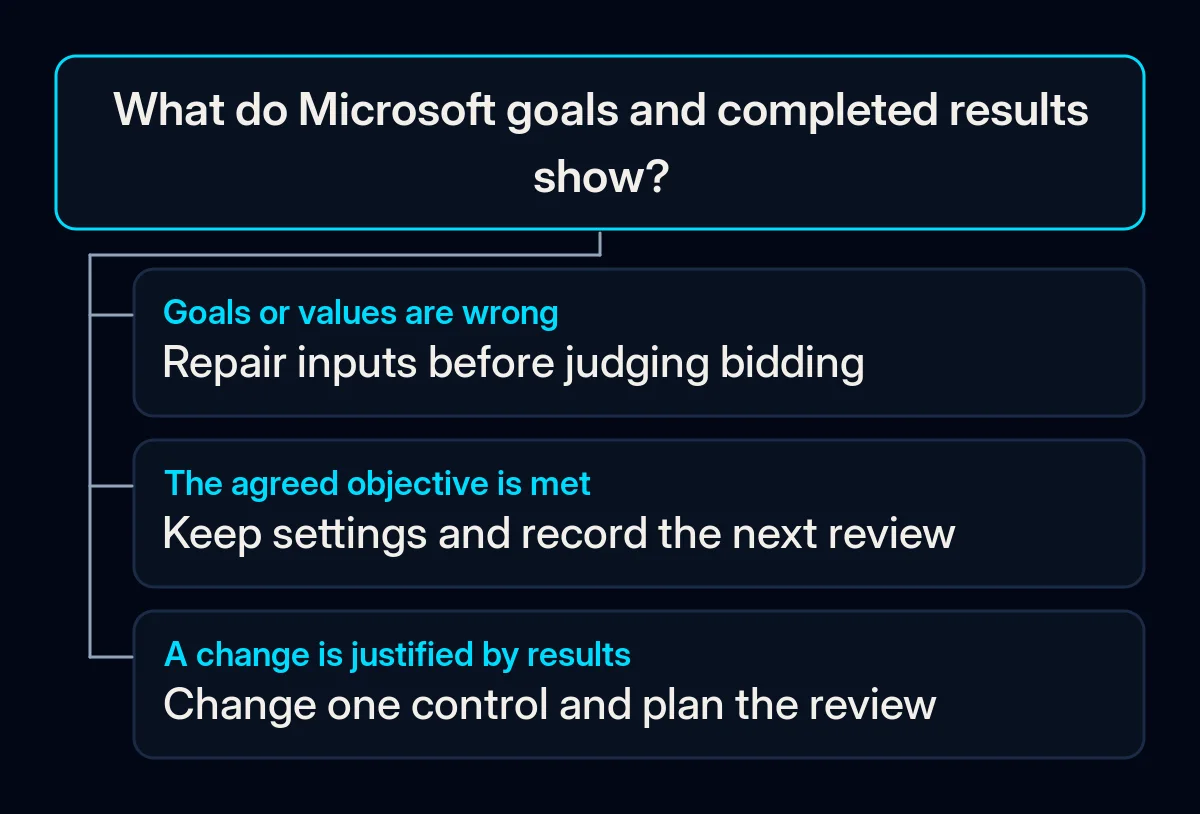
- Choose a reason to change. A campaign meeting the agreed objective can stay steady. If goals or values are wrong, repair those inputs. If completed results and the business objective justify a different target, plan that change separately from a strategy switch or budget change.
- Set the next review before editing. Microsoft recommends gradual target changes and review after a conversion cycle when reducing the risk of short-term variation. Major changes need the separate assessment period described above. Keep the old setting and the reason for the change in your note.
When should you act instead of waiting?
An assessment window does not override the business’s spending limit or make broken measurement usable. If tracking fails, the website stops completing the intended action or spending becomes unacceptable, ask the person authorised to manage the advertising account to address that problem. Do not add easy conversion goals just to reach a recommended count.
If measurement appears sound and completed results remain outside the agreed objective, review the strategy report alongside the change history. Save the affected dates, settings and results before escalating. This gives the account manager evidence to investigate instead of a claim that the announcement caused the problem.
Write down one decision today: hold the settings, repair the inputs or make a justified change, and set a review point. You do not need to change something merely to show that you have reacted to the news.