
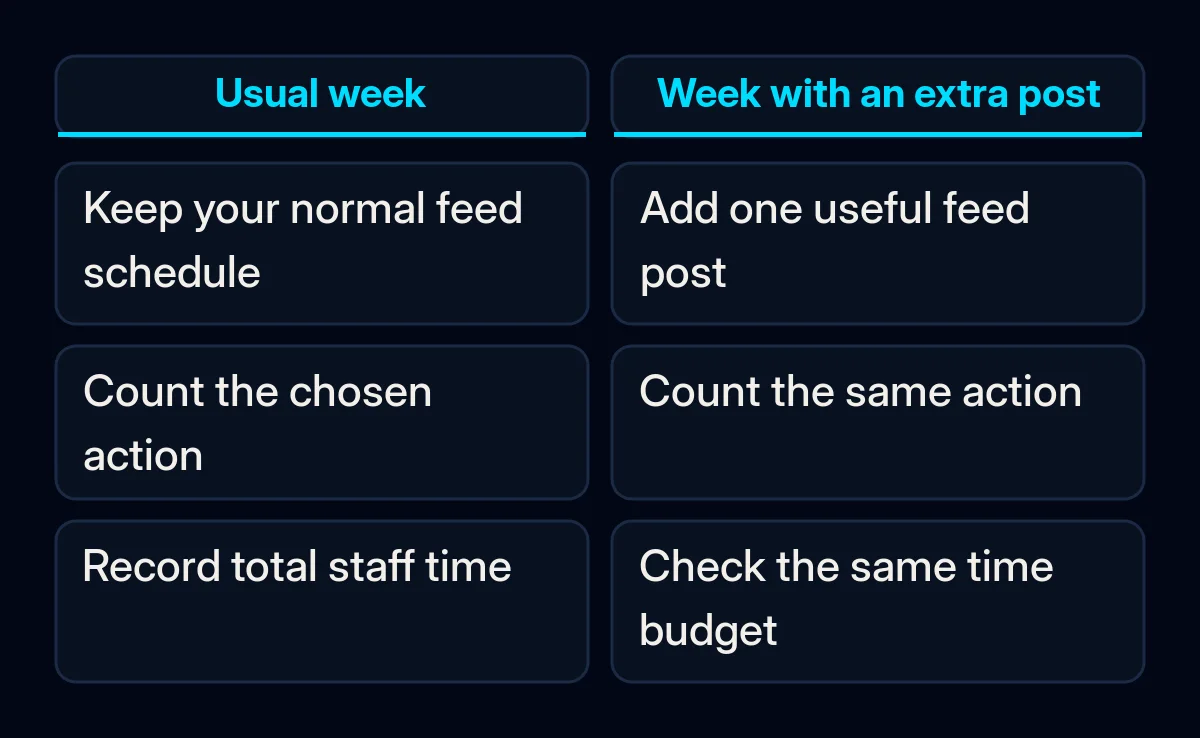
How often should a small business post on Instagram when the person making the posts also answers customers? Start with the number of useful feed posts your team can make in a normal busy week while keeping up with replies. If you can maintain your current schedule, start there. Try one extra post a week when you have room. Compare the same customer action and the time you spent across similar weeks.
How many feed posts fit into a normal week?
Open the last full week that looked like normal trading. Count the photos, carousels and Reels you put in the feed. A carousel is one post with several slides. Use organic feed posts for this comparison. Log Stories and boosts separately.
Write down how long it took to prepare, approve and publish the posts, including time spent replying.
If you usually manage two posts without rushing approvals or leaving questions unanswered, begin there. If your recent weeks vary a lot, choose a smaller schedule you can repeat before you measure the change. Name the person who will do the work and set a weekly time limit that leaves room for replies. Our guide to keeping social media going with a small team covers what to do when that time keeps slipping away.
What do the posting benchmarks measure?
Buffer recommends three to five feed posts a week for reach and follower growth, based on its analysis of Instagram accounts. In Dash Social’s study of brands using its platform, the group averaging two to three feed posts a week had the highest average engagement rate. Dash Social measures interactions relative to views.
The studies used different groups and outcomes. Use the figures to put your schedule in context. To decide whether an extra post is worth making, look at what your own customers do.
If your professional dashboard shows Best Practices, open Creation. Meta describes posting-frequency guidance there, along with tips tailored to the account. You can still run the comparison below using a paper tally if the dashboard gives you little to work with.
How do you test one extra post?
Write down what you want the next post to do before you make it. A bike repair shop might count messages asking about booking a repair. If your profile links straight to a product page, you could use profile link taps as a sign of interest when that count is visible. Track bookings and enquiries separately.
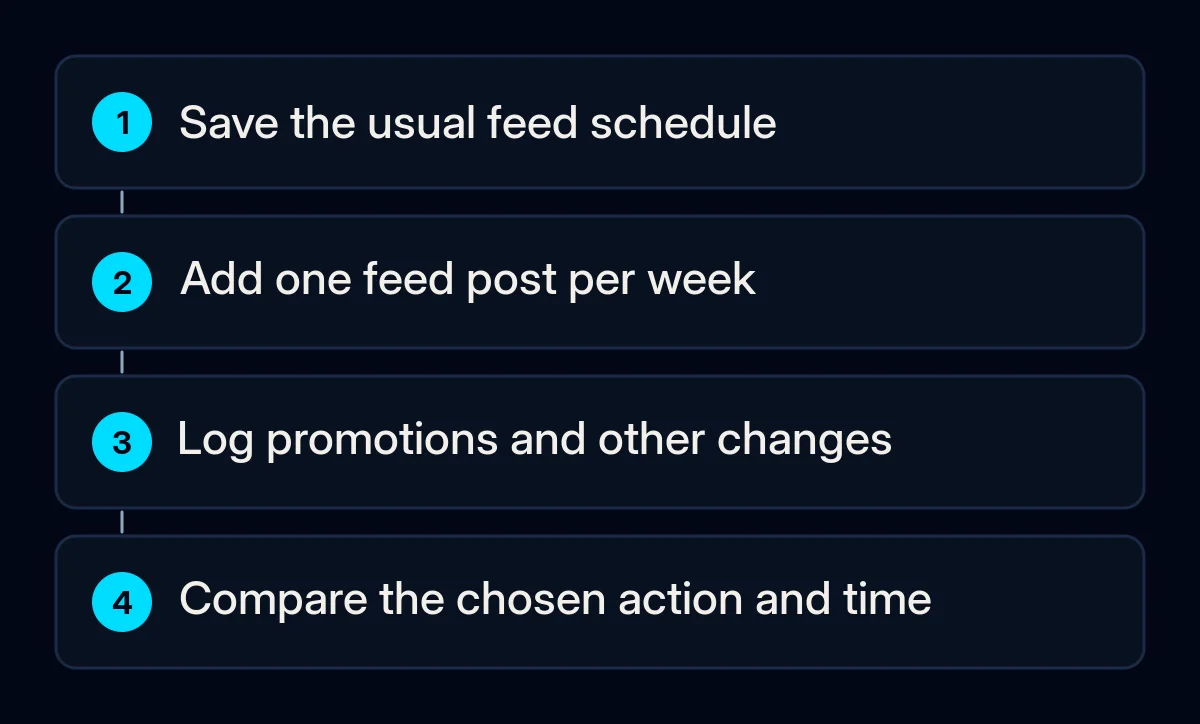
- Save a baseline. Pick a period made up of complete, ordinary weeks and write down the dates, planned and actual feed posts, the chosen action and total staff time. If you count booking questions, tally each qualifying conversation once and keep names and message contents out of the worksheet.
- Add one feed post per week. Use an equally long period with the same weekdays, time zone and reporting cut-off. Keep the usual posting slots, formats, offers and links as close as you can. Give the extra post a subject that serves the same goal. In the bike shop example, the usual repair photo and maintenance tip stay on the schedule. The added post answers a question about booking a repair.
- Write down what else changed. A promotion, a busy local event, more Stories or a change in the way you count messages can all change the weekly tally. Record anything likely to affect the result. If enquiries arrive in several places, agree on who counts them and how you handle repeat contacts. Our CRM work is relevant when those records need to live together.
- Compare the completed periods. Use the same account-wide action, date boundaries and tally rule. Read the total alongside hours or minutes spent. If a post from last month still sends people to your profile, its activity can appear in this week’s numbers too.
When is the extra post worth keeping?
Keep the higher frequency provisionally if similar weeks show more of the action you chose and the extra work fits the time you set aside. Look at the schedule again if replies start slipping. When the action barely changes and the extra work regularly crowds out other tasks, return to the earlier schedule.
If counts are small, the team missed its posting days or a holiday affected one period, compare more ordinary weeks before choosing. This check shows what happened across your account under those conditions. Use it to choose a workable schedule. Older posts, seasonal demand and other activity can move the totals at the same time.
Where we come in
In social media management, we agree on who makes the posts, who signs them off and who answers customers. We set up the schedule and reporting around the action the business wants to see. If you want us to look at your current routine, tell us which part of the week is hardest to cover in a short brief.