
You switched on the AI features in your CRM: deal summaries, lead scores, suggested next steps, drafted follow-up emails. And the output is off. A summary says the customer asked for a quote when they asked for a callback. A lead marked as hot turns out to be a supplier. The drafted email greets the wrong person. When people start searching for CRM data quality, it is usually after a moment like this: the tool sounded sure of itself and was wrong.
The usual conclusions are that the AI is not good enough yet, that the CRM was the wrong choice, or that the team should go back to spreadsheets. In our experience the model is rarely the cause. It works from what is written in the records, the gaps in records come in a few familiar shapes, and you can find yours in one evening.
Why poor CRM data quality makes the AI wrong
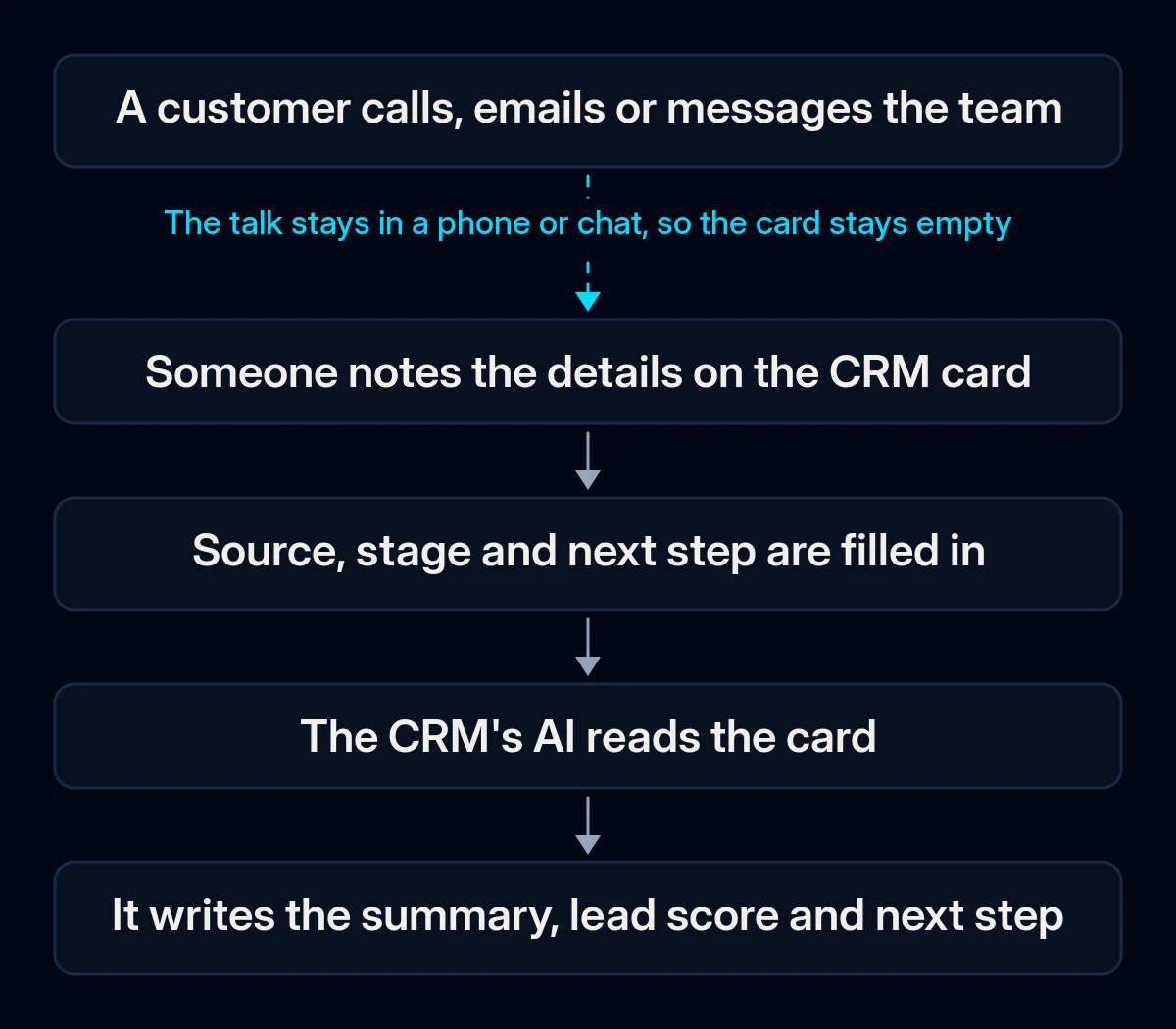
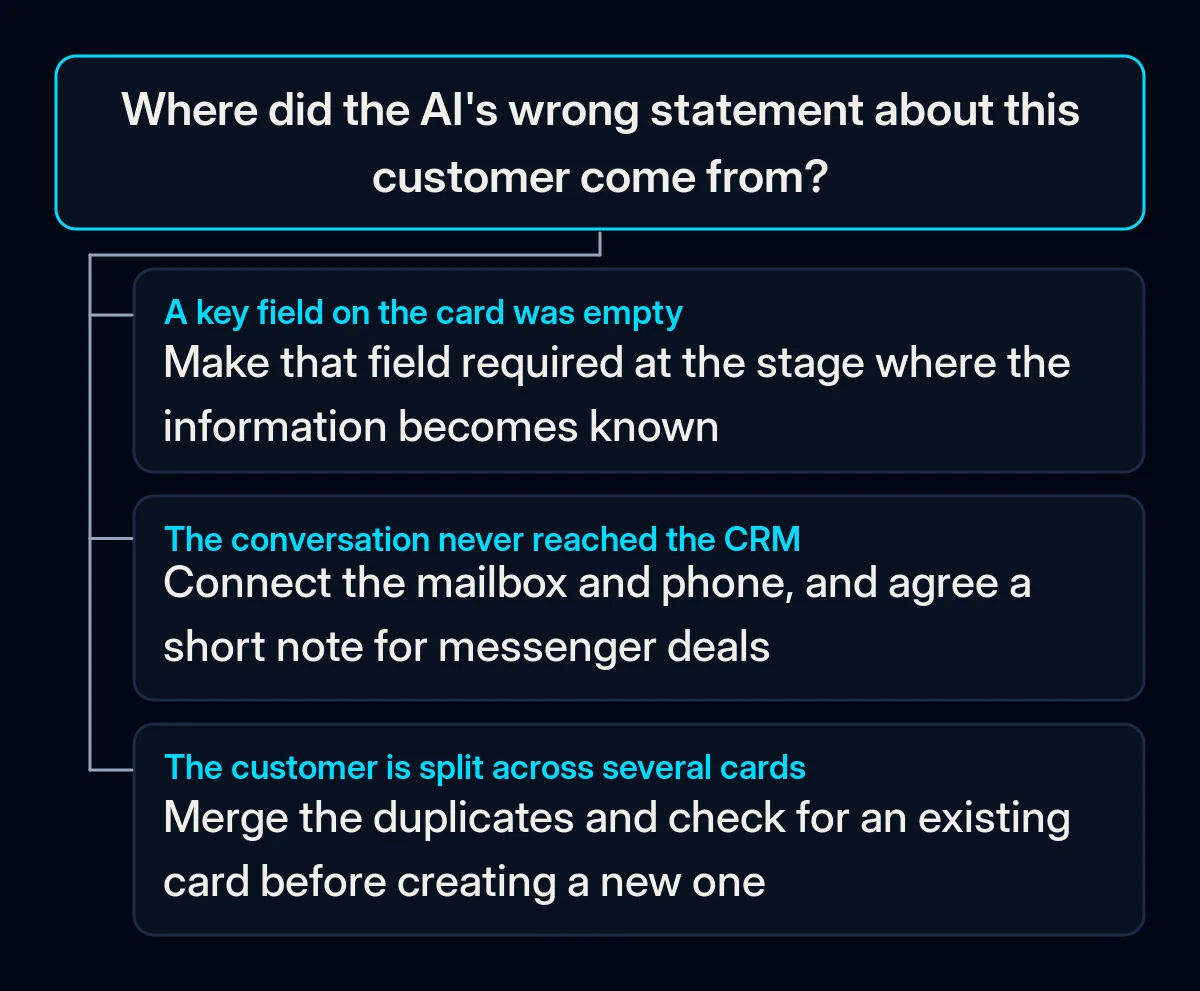
Empty fields get filled with guesses. A summary or a score is built from the fields and notes on the card. When the source, the stage, the last contact or the reason for the enquiry are blank, the model does not stop and ask. It writes the most plausible version. The sign: the AI is most fluent and confident on exactly the cards where you know almost nothing has been recorded.
The real conversation happened somewhere else. Calls from personal mobiles, quotes sent from someone’s own mailbox, details agreed in a messenger chat. The CRM holds a name and a phone number; the history lives elsewhere. The AI can only summarise the little it sees. The sign: summaries of deals your team is actively working read like summaries of brand-new leads.
Duplicates split one customer into several. The same company is entered by two people, once with its full name and once with an abbreviation; the same person appears with a work and a private address. Each card holds part of the story, and the AI reads one part. The sign: search for a regular customer by name and more than one card comes back.
Everyone fills fields their own way. One salesperson writes “website” as the source, another “site”, a third the name of the ad platform. Stages mean different things to different people: for one, “proposal” means a price was mentioned on the phone; for another, a signed offer went out. The AI compares cards that do not mean the same thing. The sign: lead scores look random when you compare one salesperson’s deals with another’s.
Old records are never closed. Deals nobody has touched for months stay open, and contacts who left the company stay active. The AI treats them as live and suggests following up. The sign: suggested tasks for customers your team knows are long gone.
How to tell which one is yours
An evening and an export from your CRM are enough; no paid tools are needed. Go through these checks in order. The first one that fails is usually where to start.
- Open ten recent cards where the AI got something wrong. For each wrong statement, note which field or note it came from, or whether it came from nothing at all.
- Export the open deals and sort by each key field in turn. Source, stage, last activity, next step. Blank values rise to the top, and you see at once which fields nobody fills.
- Compare the CRM with real activity for one week. Pick a few active deals and look at the calls and emails that actually happened. Check whether the card mentions them.
- Search for your best customers by name. Any customer with more than one card is a duplicate to merge, and a hint that new entries are not checked.
- List the distinct values in the source and stage fields. Spelling variants and free text mean every person keeps their own dictionary.
- Sort open deals by last activity. Anything untouched for a long time that is still marked open is a record the AI treats as live.
The fix, in order
Cheapest first. The early steps need decisions, not new software.
- Decide which fields matter. Not every field the CRM offers, only the handful your team and the AI features actually use: source, stage, reason for the enquiry, last contact, next step. Hide the rest from the main view so people stop skipping past a wall of empty boxes.
- Write the dictionary on one page. What each stage means in terms anyone can check (“proposal” means a priced offer has been sent), the allowed source values, what counts as won and lost. Turn free-text fields into drop-down lists so the dictionary is enforced by the form, not by memory.
- Make fields required at the moment they become known. Not all at creation, or people type anything to get past the form. Source when the lead is created, reason after the first conversation, next step whenever the stage changes. Source and outcome recorded this way are also what lets paid advertising campaigns learn from real sales instead of from form fills.
- Clean the backlog once, in one sitting. Merge duplicates, close dead deals with a reason, archive contacts who have left. Use the export from your diagnosis rather than leaving it as a background task. Rules only hold if people keep using the system; our guide on what to do when the team is not using the CRM covers how to make them part of daily work.
- Bring the conversations in. Connect the mailbox and the phone system so emails and calls land on the card on their own, and agree that deals discussed in a messenger get a short note. This is usually where CRM setup and automation earns its keep: the record fills itself instead of depending on discipline.
- Turn the AI features back on one at a time. Summaries first, then scores, then drafted follow-ups, with a weekly look at a sample of what each one produced. If your CRM can fill cards from email and calls by itself, check what it wrote before you rely on it. In our AI implementation projects we set up this order and the weekly sample check before any AI feature writes to a customer.
What to measure
- Open deals with every key field filled, checked weekly from the same export; this is the clearest sign that the rules are holding.
- Duplicates found when you search for your best customers, checked monthly; the list should get shorter and stay short.
- AI statements corrected in the weekly sample, logged with the field they came from; each one points to a rule or a connection that is still missing.
- Open deals with no recent activity, reviewed monthly; when this list stays small, the AI stops suggesting follow-ups to customers who are gone.
Where we come in
A team that agrees on its fields, writes its dictionary and cleans the backlog once can fix CRM data quality on its own, and this order is meant to make that possible. What we bring is the field map and dictionary built around how your sales actually run, the connections that fill records without extra typing, and the checks that keep the AI features honest. If you want us to look at your CRM with you, a short brief is enough to start.