
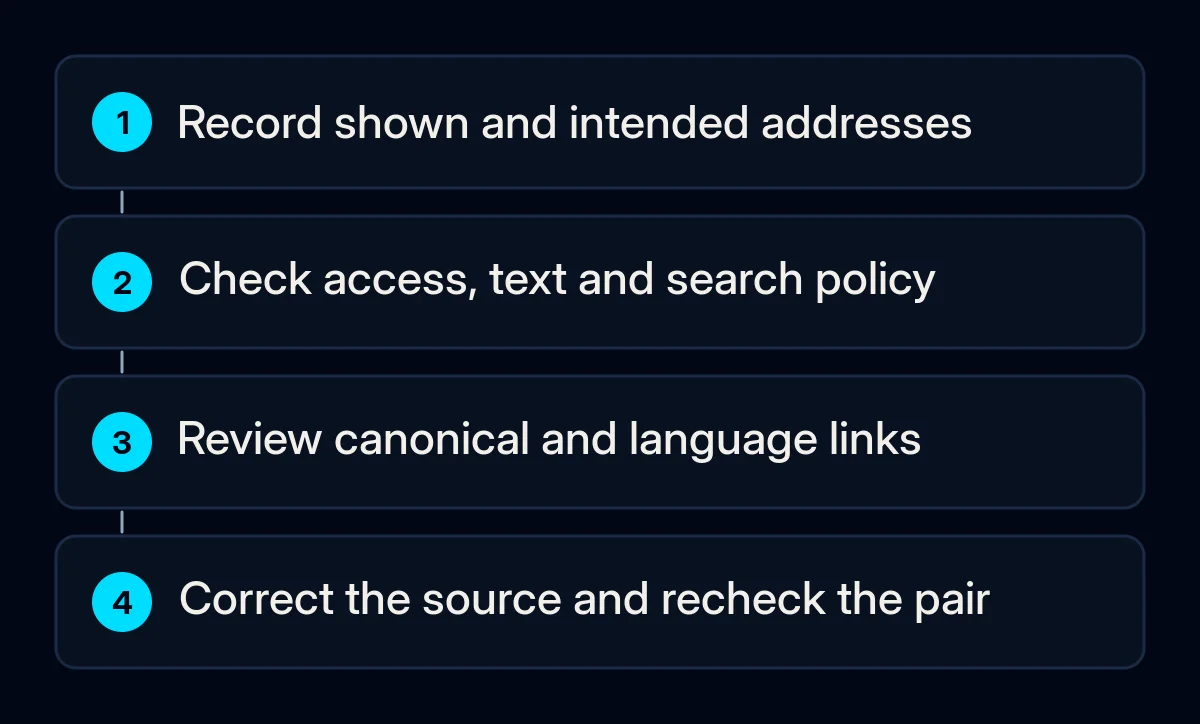
Google can show your website in the wrong language because of the searcher’s language context or a problem with your language pages. Start by recording the address the result actually opens. Compare it with the translation you expected. Check access, visible text and search settings for that page pair before changing a translation plugin.
Google’s explanation of multilingual search says the query, language settings and location can affect results. Write down what you searched for, which page opened and which page you expected before treating the result as a site defect.
Find where the wrong language first appears
Look at the result text, the opened address and the page itself separately. A translated search description is different from Google choosing another language version you own. Google’s translated-results documentation says it can translate a title and snippet (the short search description), then offer a machine-translated page after the click.
Record the query, date and search language or country setting you used. Open the result, copy the final address and note the language of the main text. If translation controls are present, view the original before deciding that your published text is wrong.
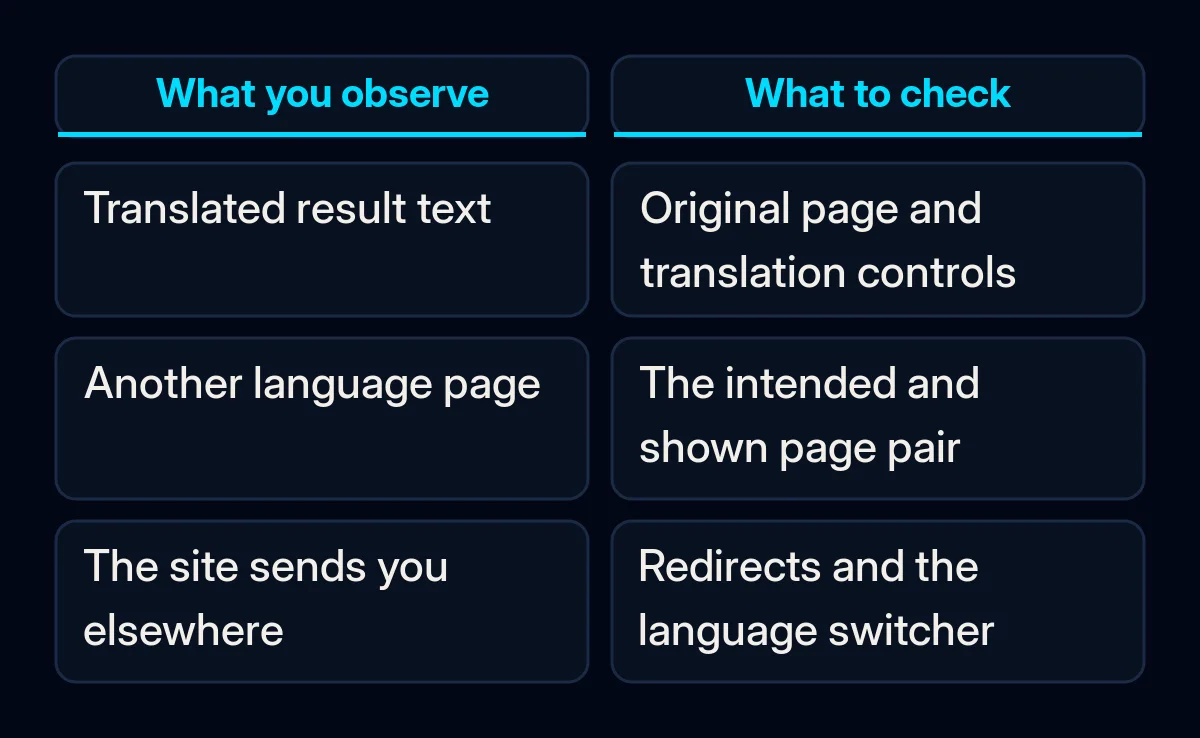
If your site redirects the visitor to another address, record the address before and after the redirect. Open the intended translation directly as well. Google’s multilingual-site guidance recommends separate language URLs and visible language-switching links; automatic language redirects can prevent access to alternatives.
Check the pages before changing language tags
Use an equivalent-page pair to organise the check. A hypothetical example is the English and German versions of the same service. Confirm that the intended version is meant to appear in search. Keep private, staging and deliberately excluded pages restricted while you investigate.
- Open each address directly. Note whether it stays on that page, changes language or leads elsewhere. Use the language switcher and check that it reaches the matching service page. A jump to the other language’s homepage leaves you comparing different content.
- Read the main content. Google’s multilingual guide says it uses visible content to determine language. Translated navigation around an untranslated service description deserves attention. Check the service description and main heading before changing or replacing the translation plugin.
- Inspect the intended address in Search Console. Use existing access to the relevant Search Console property, the site resource covered by that account. URL Inspection first shows the indexed result: the information Google has stored for that address. Read its indexing explanation and, where available, compare User-declared canonical with Google-selected canonical. These are the site’s preferred representative address and the one Google selected.
- Separate the live test from the indexed result. The live URL test checks the current page and some obstacles. Search Console Help says this test cannot predict Google’s canonical choice or establish that a page is indexed. It can follow redirects without showing the final destination, so keep your direct-address observation alongside it.
If you lack access, send the page pair to the person who already manages Search Console. Ask whether an indexing exclusion is deliberate before changing it. A noindex instruction asks search engines to keep a page out of results. Google’s guidance distinguishes it from robots.txt rules, which restrict crawling. Preserve the agreed policy and access controls.
Do canonical and hreflang describe the same page pair?
A canonical address identifies a preferred representative for duplicate or very similar content. Hreflang describes corresponding language or regional alternatives. They answer different questions. Google’s localized-pages guidance says fully translated main content is not treated as duplicate content merely because it expresses the same meaning.
Ask the maintainer where the language relationships are defined: in the page’s HTML, HTTP headers or a sitemap. Check the existing implementation before adding another.
The corresponding pages should identify themselves and their language alternatives, with links back to each other. Check the actual service-page addresses and language codes. An annotation pointing to an unrelated homepage cannot describe the intended service-page pair.
When using hreflang, Google’s canonical guidance recommends a canonical in the same language, with a substitute if none exists. An unexpected English canonical on a German page needs investigation. Avoid changing all translations to English canonicals or replacing every canonical without understanding the page structure. A declared preference can differ from Google’s indexed choice.
The HTML lang attribute has a separate purpose. MDN explains its role for assistive technologies such as screen readers. Google’s supported-tags documentation says it does not use that attribute to determine page language. Keep lang accurate for readers; changing it alone is not a search-language switch.
Send a precise fix to the person who manages the site
Send the actual and intended addresses, the original search observation and the failed check together. This gives the maintainer a specific defect to reproduce. In our website projects, we start with the setting that produced the published page, so an edit can be checked and restored if it causes a new problem.
- Save the current page mapping or configuration before changing it. Identify who owns the translation content, redirect rule and search annotations.
- Correct the observed cause: an unavailable translation, untranslated main text, a redirect or a conflicting page relationship. Change indexing restrictions only after the owner confirms that the page belongs in public search.
- Check the published pair again, including direct access and language switching. Confirm that the intended content and annotations are present. If the change sends visitors elsewhere or removes access, restore the previous setting and escalate the evidence to the maintainer.
- Keep the same observation and page pair for the follow-up. Our multilingual SEO work compares the published setup with the indexed URL Inspection data available in Search Console. Treat a passing live test as a check of the current page. Revisit the indexed data and original search to assess a change in the result.
If this began after a shop move, compare the old and new addresses using the redirect map in our ecommerce website migration guide. Keep the language-page comparison with that map so a moved address is not mistaken for a missing translation.
How to check the result
First check the published site: the intended page opens directly and its main text is translated. Confirm that the switcher reaches the corresponding page and the agreed canonical and language links match the intended pair. Keep a note of any remaining mismatch and who is investigating it. Save those checks separately from any later change in Google.
Then review the indexed data after Google has crawled the changed page, and repeat the original search with the recorded context. Google’s recrawl guidance says requesting a crawl does not ensure inclusion in search; repeated requests for the same address do not make crawling faster. No fixed deadline or particular language result follows from a passing check.
If the page pair is consistent and Google still shows another version, keep that observation for review. Consider the query and language context before making another site change. These checks may find no current configuration defect.
Where we come in
We compare the page the visitor reaches with the translation you intended, then trace an observed mismatch to its source. We agree on the correction, who needs to make it and the check to repeat. Start by saving that page pair and the original search observation.